
Funnels are a great way to organise and sell multiple related products as part of a single offer. It removes the need to create a new account for every new offer or launch. Without proper funnel structure, the products can become cluttered and analytics can also be messy.
By using Funnels you can:
- Organise your products for better understanding
- Track customer behaviour at every stage of the funnel
- Test different landing pages
- Running contests for your funnel between affiliates
- Gain insights into performance to refine your sales strategies
- Increase overall sales with a complete shopping journey
You’ll find many other features explained in detail in the other articles in this sectionfeel free to explore them for more information.
Creating a New Funnel
1. Log in to your Seller account here: https://explodely.com/seller/signin
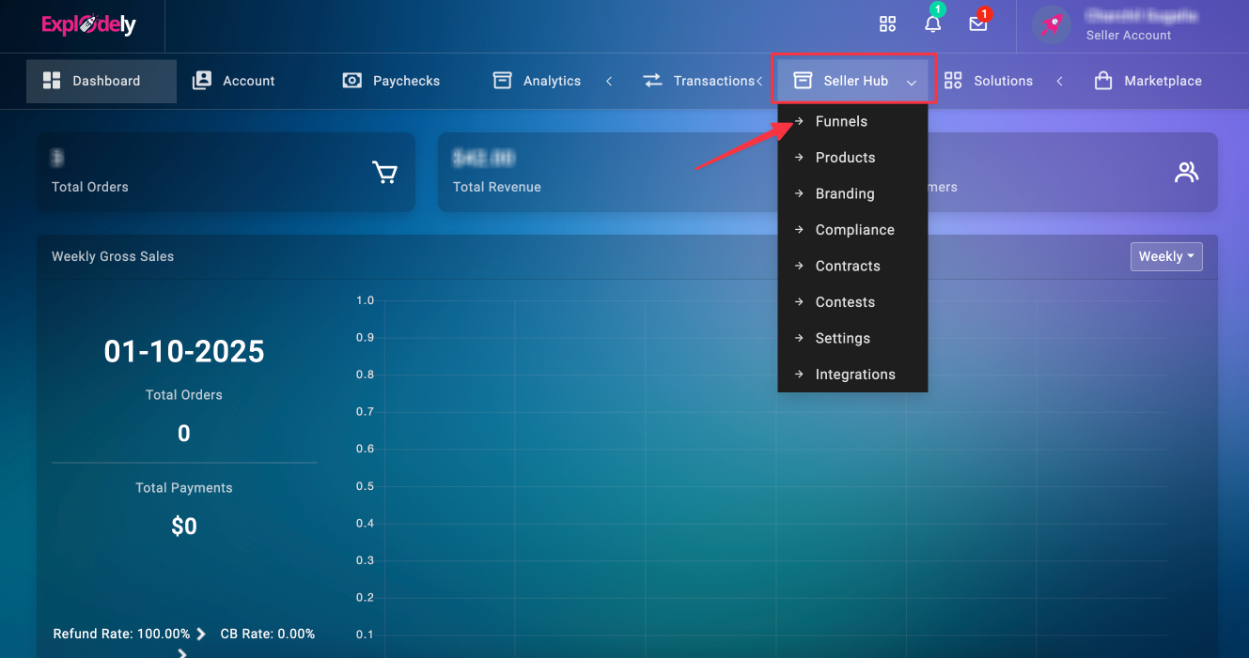
2. Go to Seller Hub > Funnels.
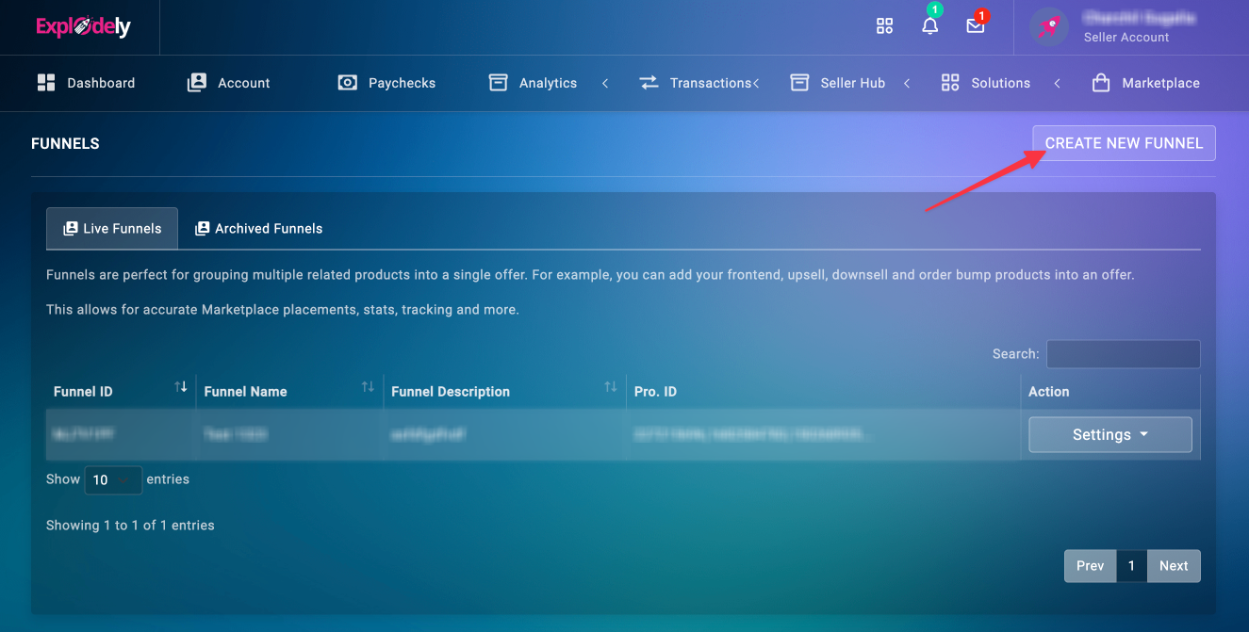
3. Click Create New Funnel.
4. In the pop-up window, fill in the required details.
Please note that:
If you want to test different versions of your landing page, you can add multiple landing pages by clicking the plus (+) icon next to the Main Landing Page URL field.
Important:
A product can only belong to one funnel. It cannot be copied to another funnel. If you remove a product from a funnel, it can only be added back to that same funnel.
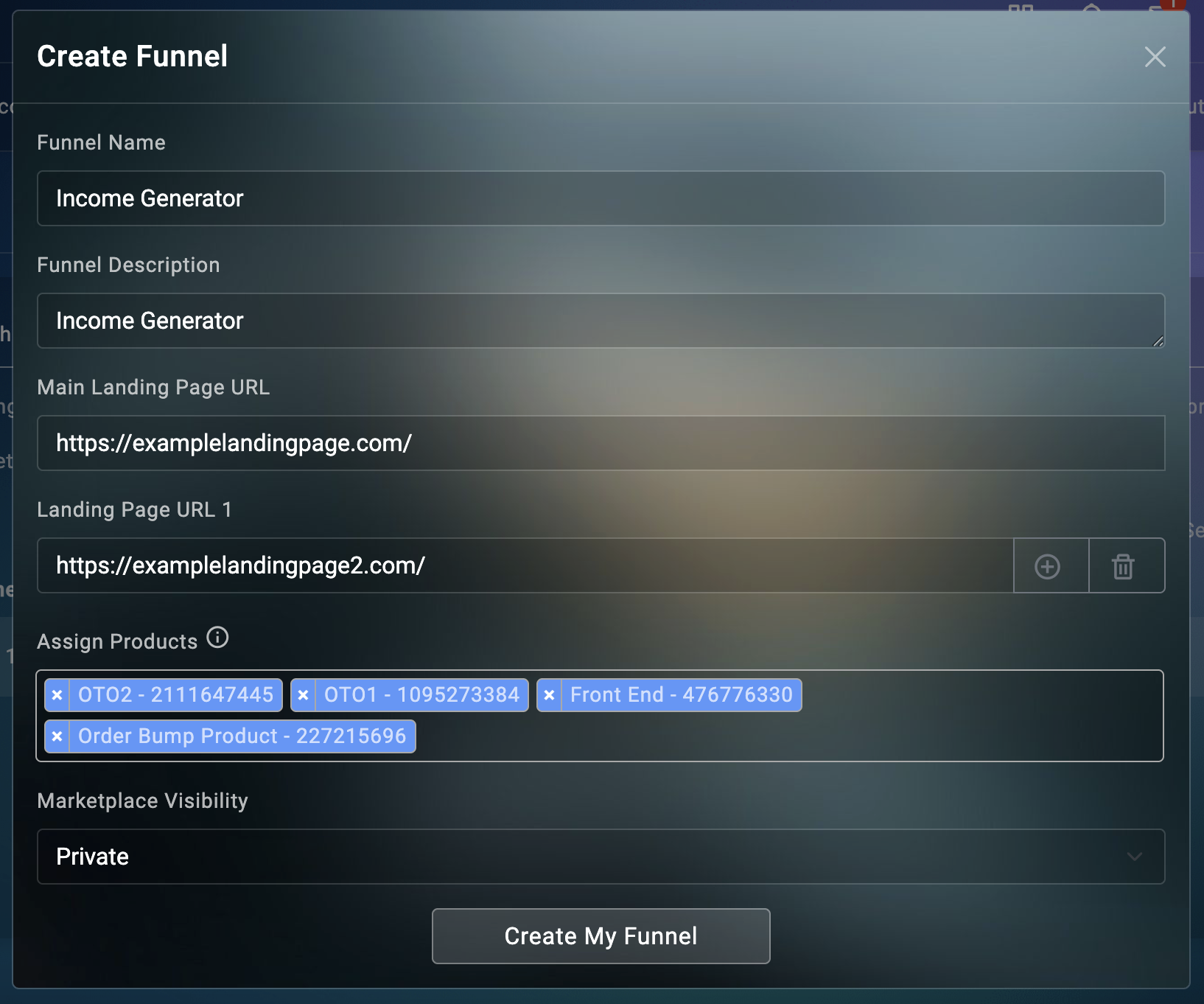
While setting up the funnel, you'll be given the option to add the Landing Page URL, please note that it should be your front-end sales page only.
You can add up to 5 landing pages to a single funnel.
5. Click Create My Funnel.
Your funnel is now ready.
Edit and Archive Funnel
1. Edit Funnel: You can update the funnel name, description, landing page URL, assigned products, and visibility by clicking on Edit Funnel under Settings.
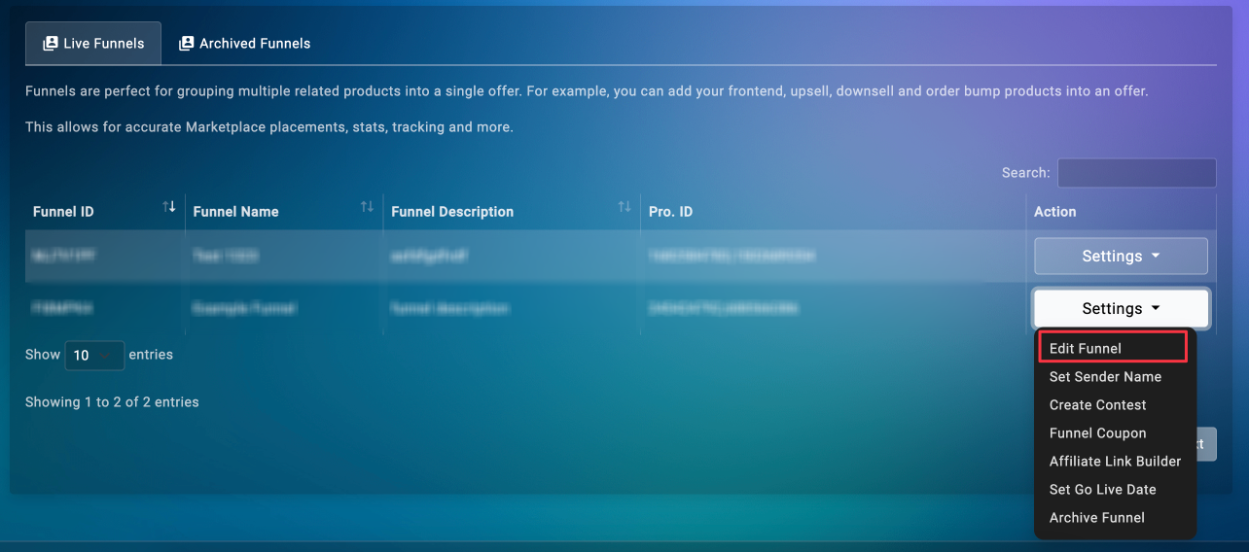
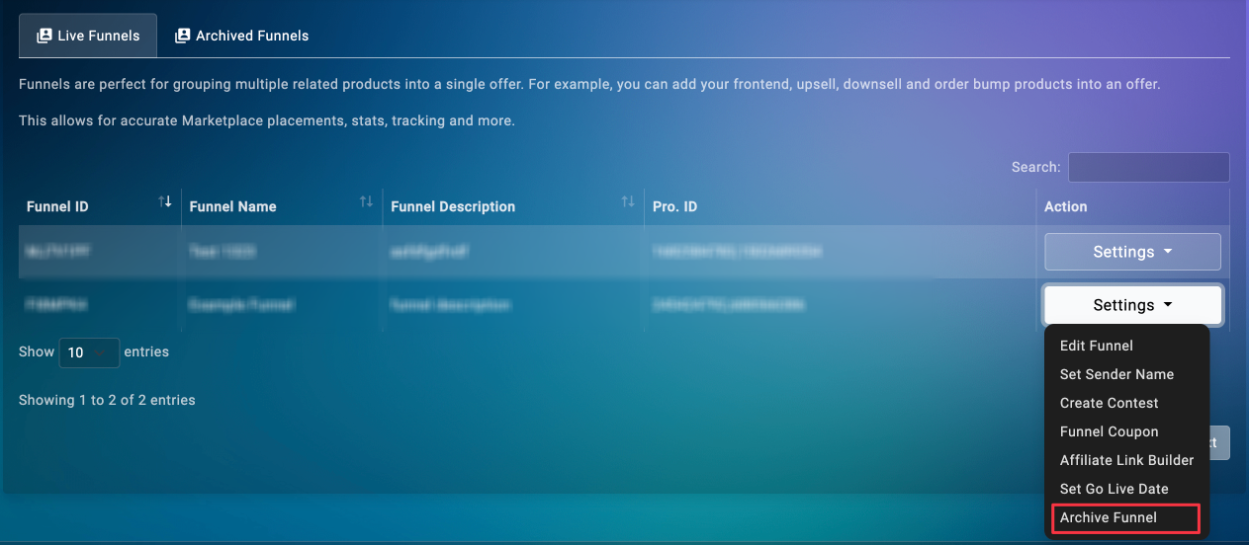
2. Archive Funnel: You can archive a funnel when it’s no longer active. To do so, go to Archive Funnel under Settings.
Archived funnels will appear in the Archived Funnels folder as shown below.
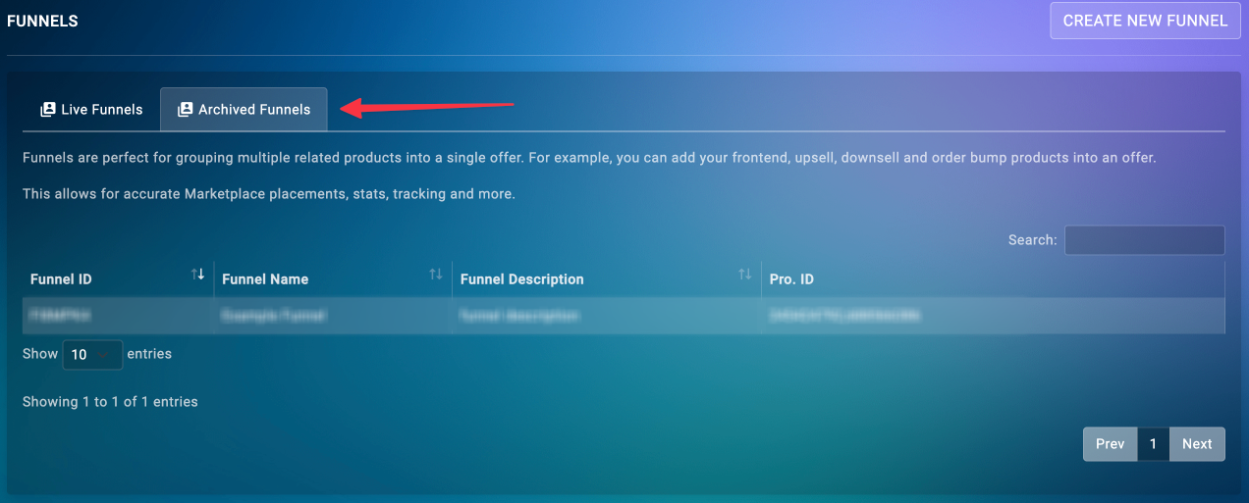
Note: Once a funnel is archived, it cannot be restored.
Funnels make it easier to sell, track, and scale your offers in one place. You can use the different settings to customise your funnel for branding, promotions, and affiliate management.
Funnels will continue to expand with powerful new features, including:
- Drill-down analytics for products within a funnel
- Drill-down analytics for affiliates per funnel
- Product-level performance tracking for individual affiliates
- Landing page performance metrics
- Commission bumps applied at the funnel level, eliminating the need to configure each product manually
Please contact us if you have any questions or concerns at sellers@explodely.com