
Explodely's Single Sign On feature streamlines the account management process by allowing users to link multiple accounts and access them through a single login. By eliminating the need to juggle multiple login credentials, users can effortlessly navigate between their linked accounts, enhancing productivity and efficiency.
To take advantage of Explodely's Single Sign-On feature, you can follow these simple steps:
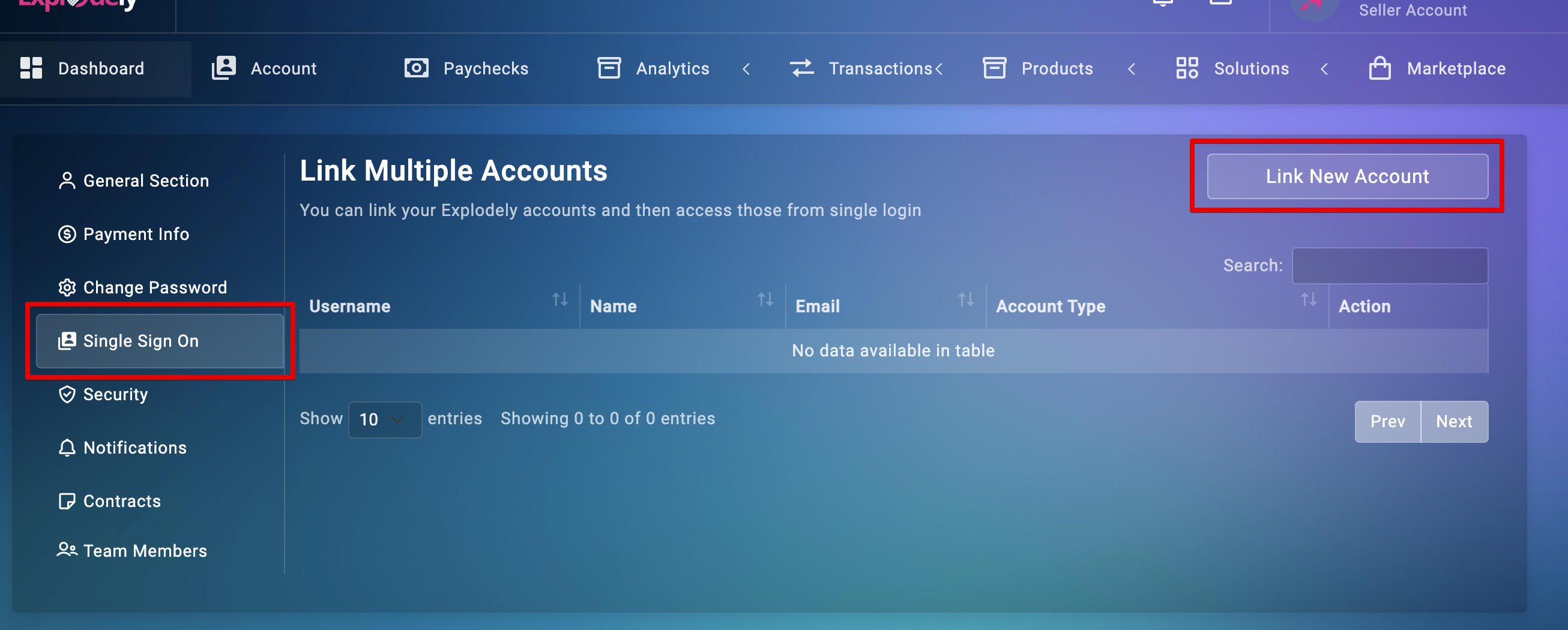
Step 1: Log in to your Explodely account and navigate to the Account section.
Step 2: Within the Account section, locate the Single Sign On option and click on Link New Account.
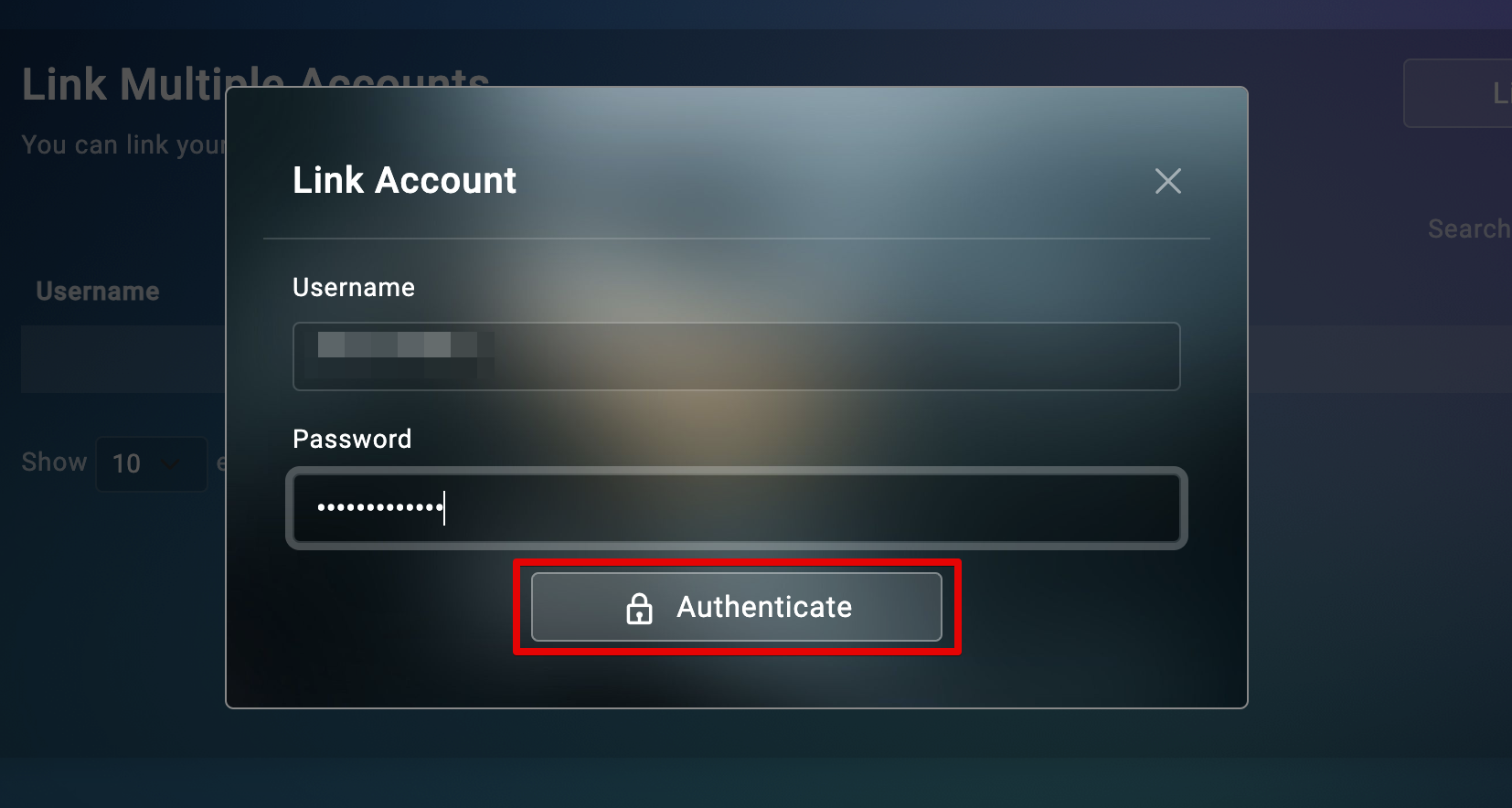
Step 3: A prompt will appear, asking you to enter the username and password of the account you wish to link. Once entered, click on Authenticate to proceed.
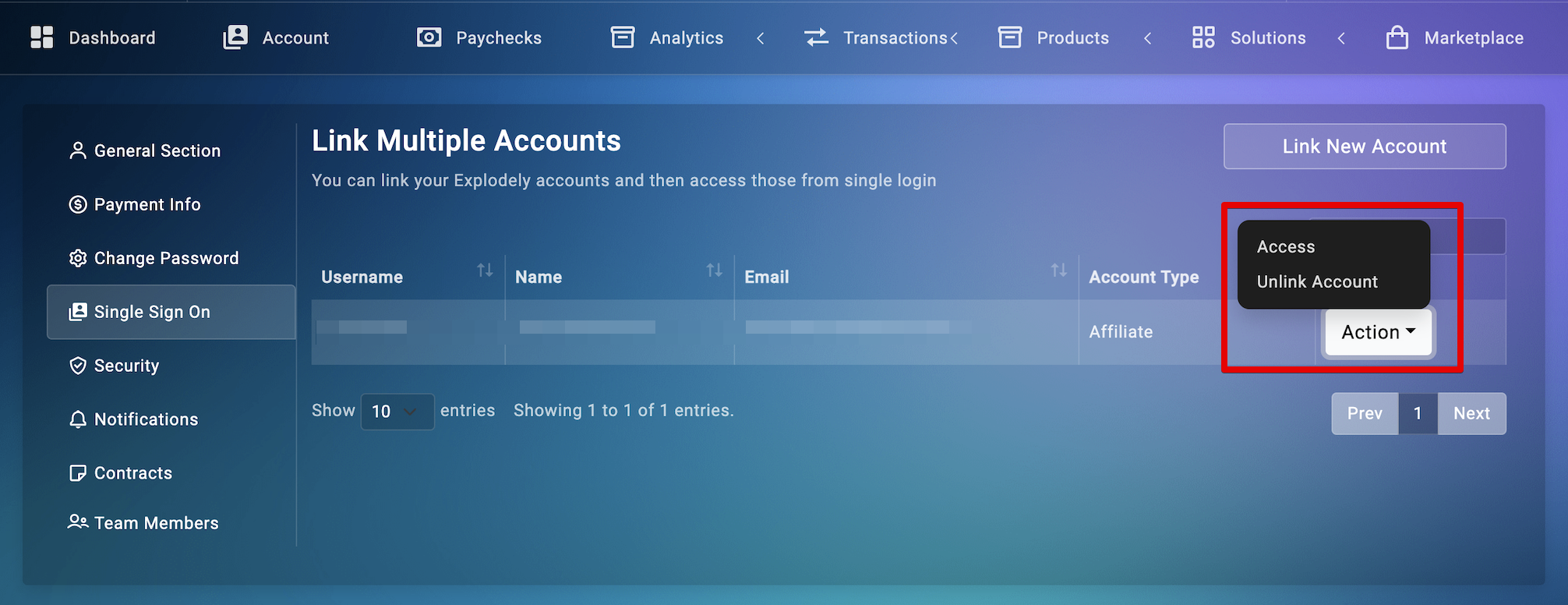
Upon successful authentication, the linked accounts will be visible to you, and you can access and unlink them using the Action button.
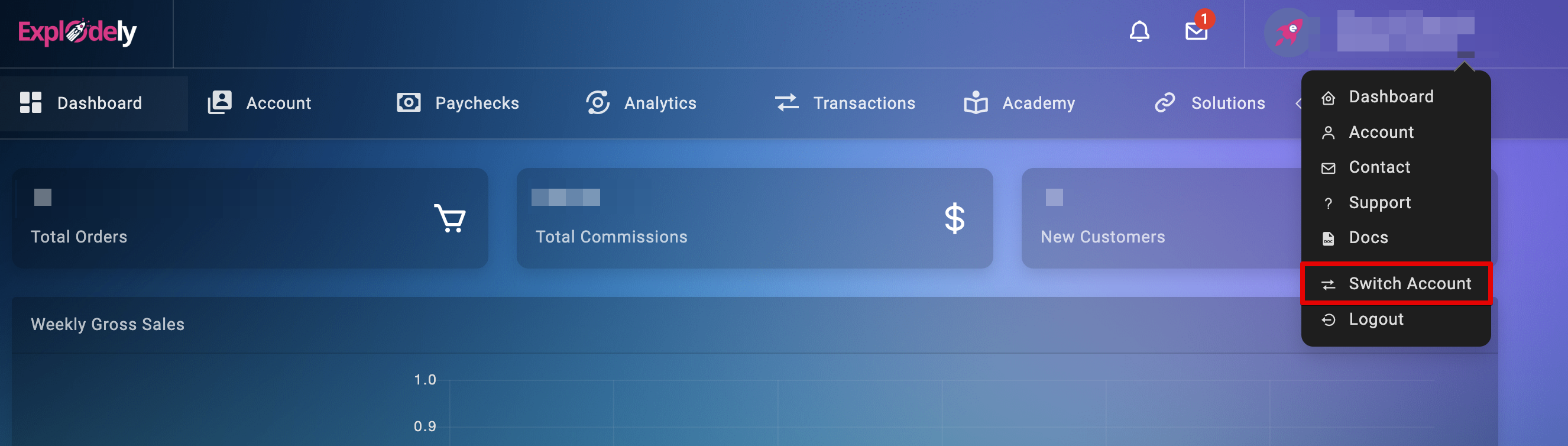
Once you have linked your accounts, you can switch accounts from the top right corner as well.
Explodely's Single Sign-On feature simplifies the process and saves you valuable time and effort by allowing you to access accounts without the need for separate logins.
Please reach out to us if you have any questions or concerns at sellers@explodely.com.