
If you manage multiple Explodely Seller and Affiliate accounts, you can easily link them together using Single Sign-On.
This feature allows you to switch between accounts seamlessly without logging in separately each time.
How to Link Your Accounts
1. Login to your Explodely account.
Then go to Account → Single Sign On → Link New Account.
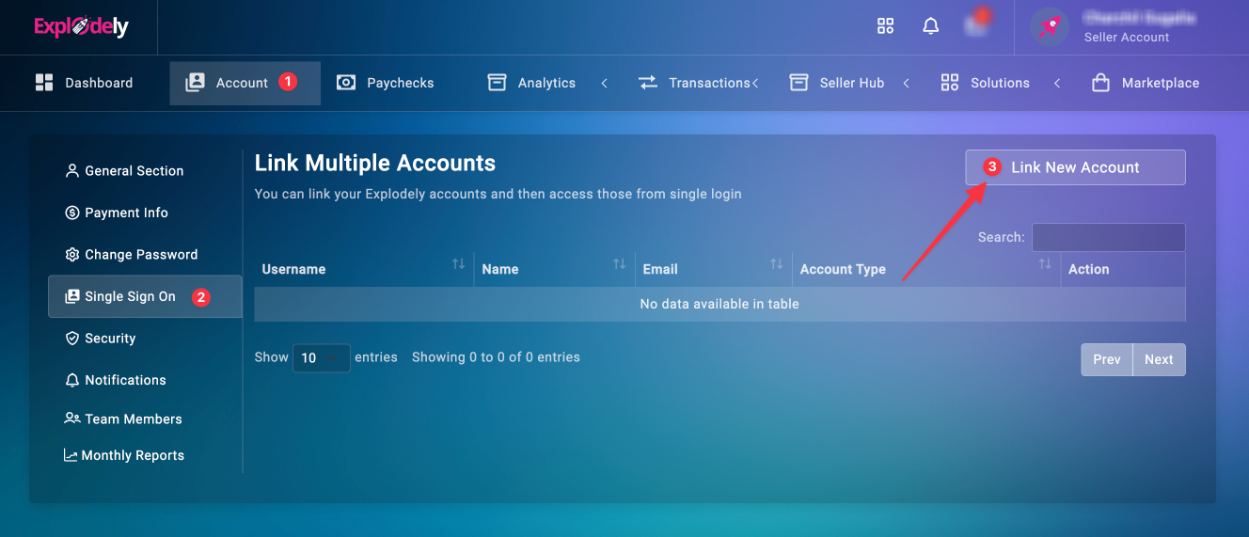
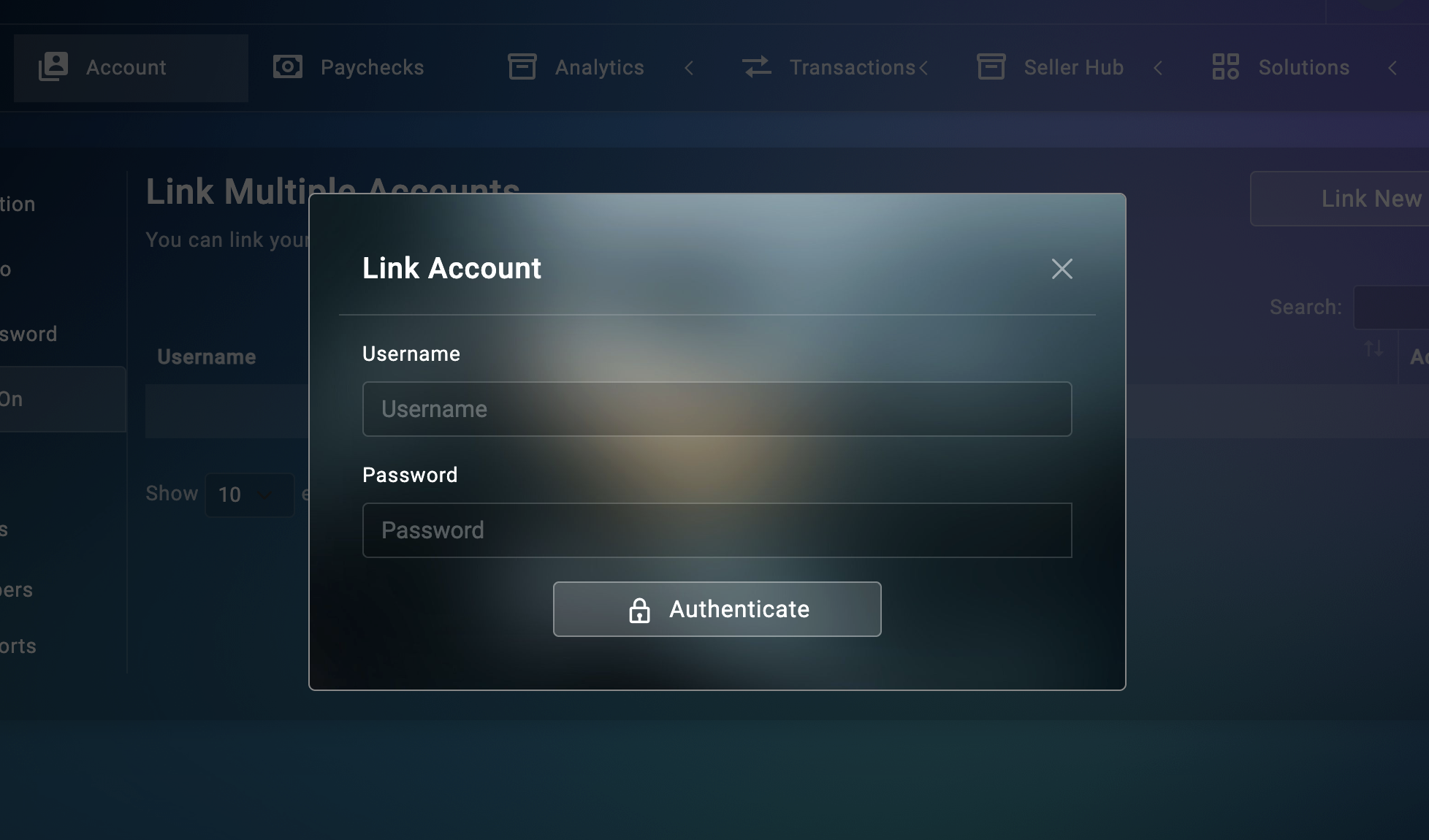
2. In the pop-up window, enter the Username and Password of the other Explodely account you want to link.
Then click on Authenticate.
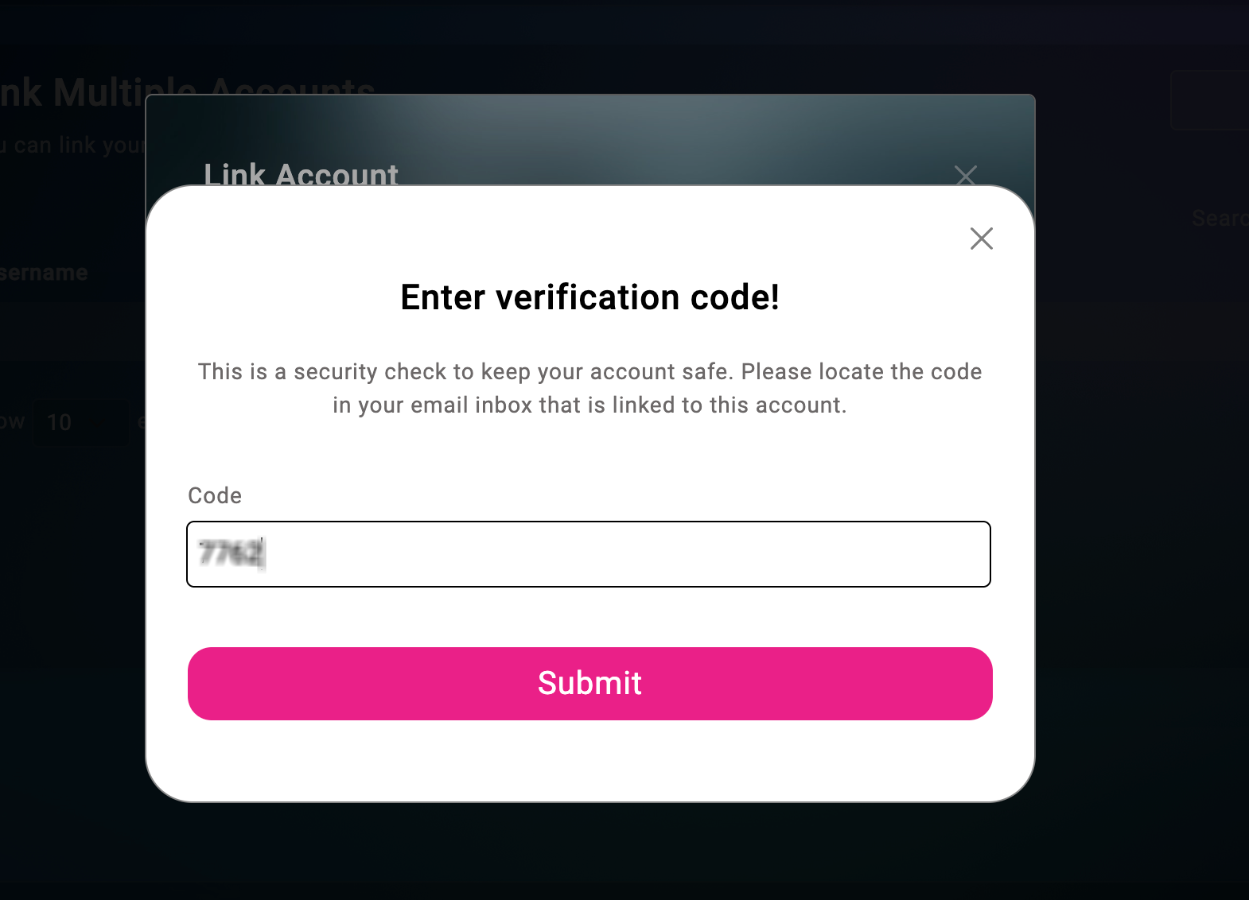
3. You will receive a verification code to your registered email. Add the code in the given field.
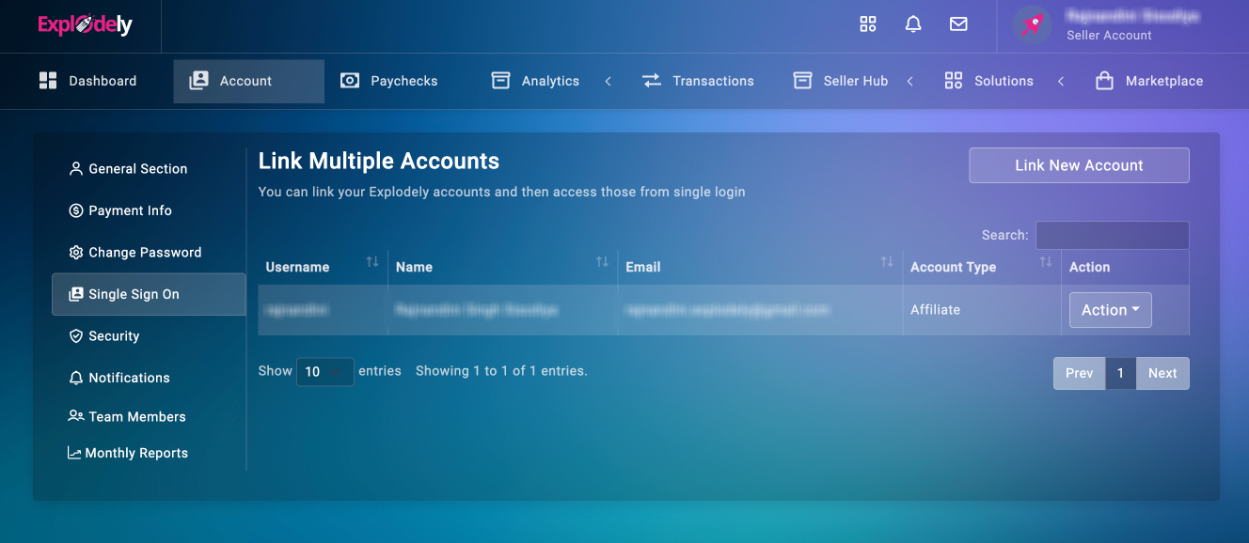
Once the details are verified, your other account will be successfully linked.
You’ll see the linked accounts listed under the Single Sign On page.
Switching Between Accounts
You can also switch accounts directly from your dashboard:
1. In your account, navigate to the top right corner of the dashboard and click on the drop-down list.
2. Select Switch Account.
3. Choose the account you want to access from the list of linked accounts.
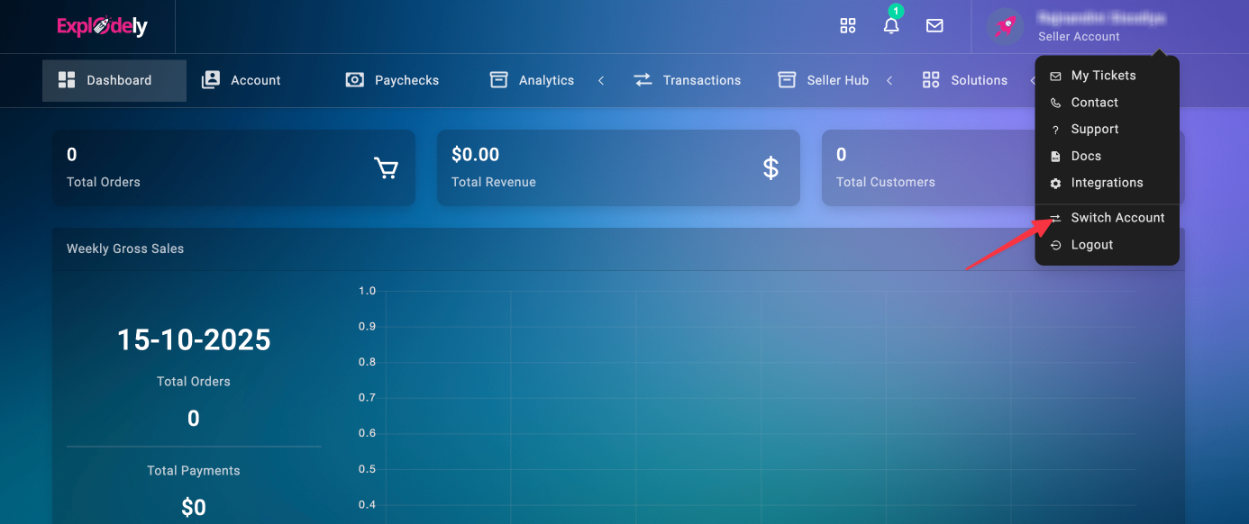
You’ll be redirected instantly without any additional login.
Managing Linked Accounts
After linking, you’ll see all connected accounts in your Single Sign On section.
From here, you can:
- Access Account: Instantly log in to any linked account by clicking the Access button. No need to re-enter your login details.
- Unlink Account: If you wish to remove a linked account, click the Action button and choose Unlink.
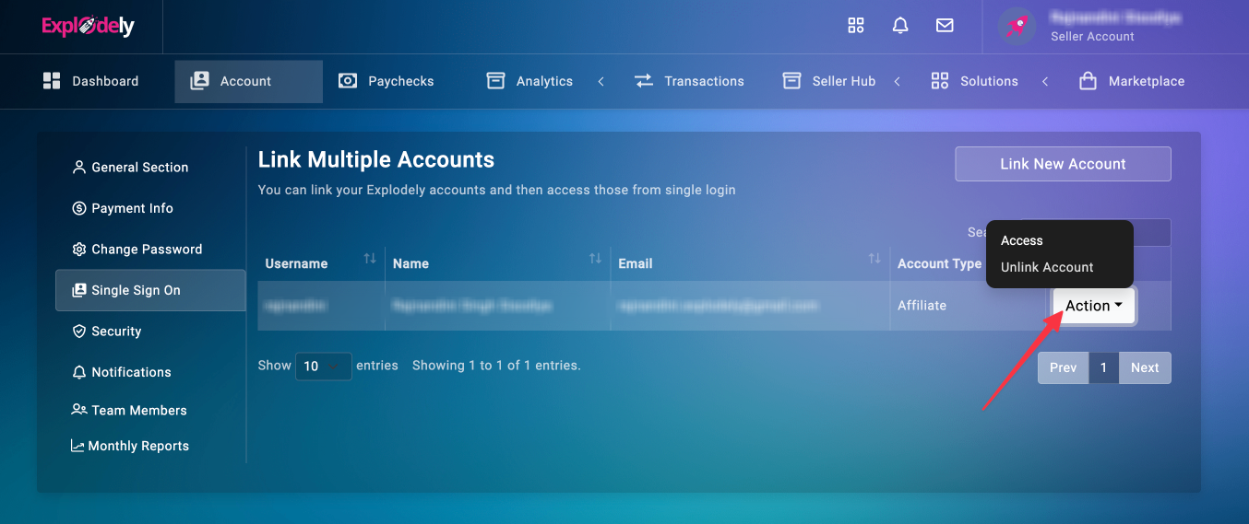
You can link multiple seller and affiliate accounts owned by you as long as they are under the same email. You can move between accounts effortlessly and manage all your activities from a single login.
Please contact us if you have any questions or concerns at sellers@explodely.com.