
Funnel coupons are a simple yet powerful way to boost conversions and drive sales across your offers.
If you want to create a single coupon that applies across your entire funnel, you can do so by making Funnel Coupons. This ensures a consistent discount for buyers at every step and allows top affiliates to incentivise customers.
To set up your funnel coupons, log in to your account and go to Seller Hub → Funnels.
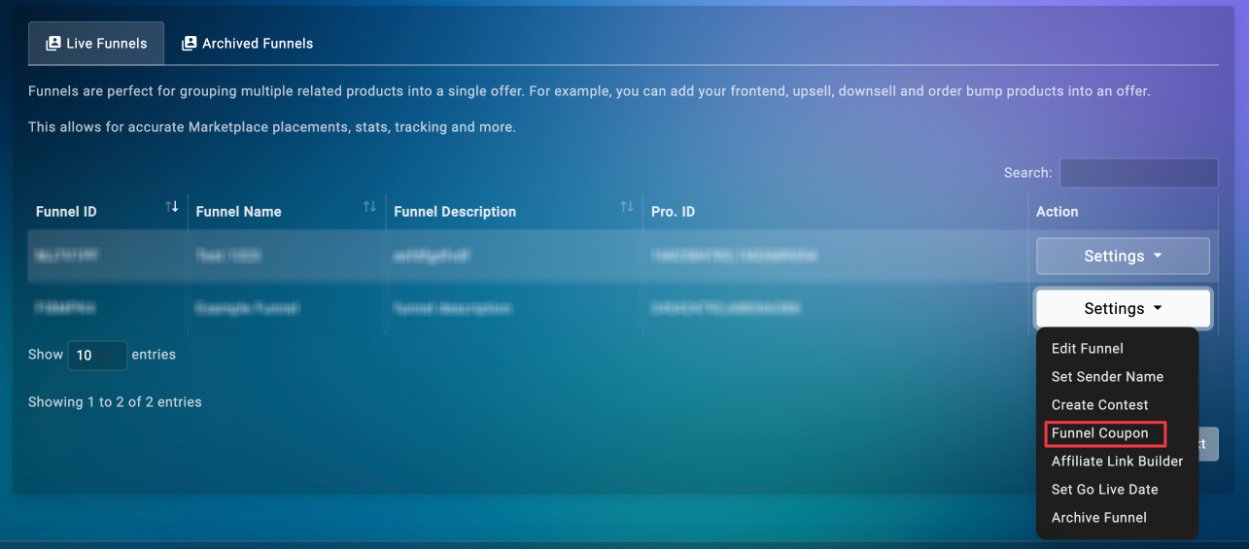
Locate the funnel where you want to add the funnel coupon. Under the Settings section of that funnel, click on Funnel Coupons.
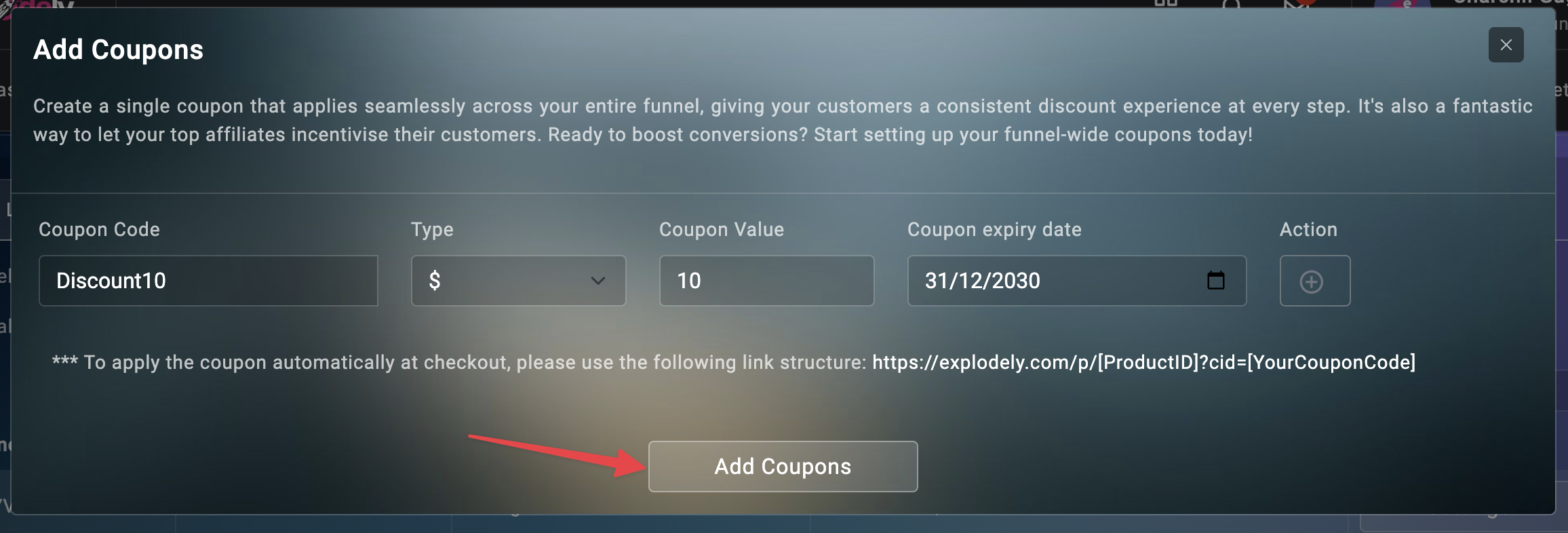
In the pop-up, add the coupon code, type, value, and expiry date and then click on Add Coupons.
And that’s it! You’ve successfully created a funnel-wide coupon.
Please contact us if you have any questions or concerns at sellers@explodely.com.