
Upon every sale, refund and chargeback, Explodely.com system sends IPN (Instant Payment Notifications) to your choice of IPN Listener (that is, the script or URL you set to send the IPN to inside your account).
This allows Explodely sellers to automate the actions related to sale, refund and chargebacks inside their own CRM or database.
By default, Explodely sends all transaction data to your IPN listener. But with the IPN Builder, you have complete control over the data being sent. You can choose exactly which data points or tokens to include, as well as the format in which they’re sent.
Below are the detailed steps to help you set this up.
Step 1: Access the IPN Builder
i) Log in to your Explodely Seller Account.
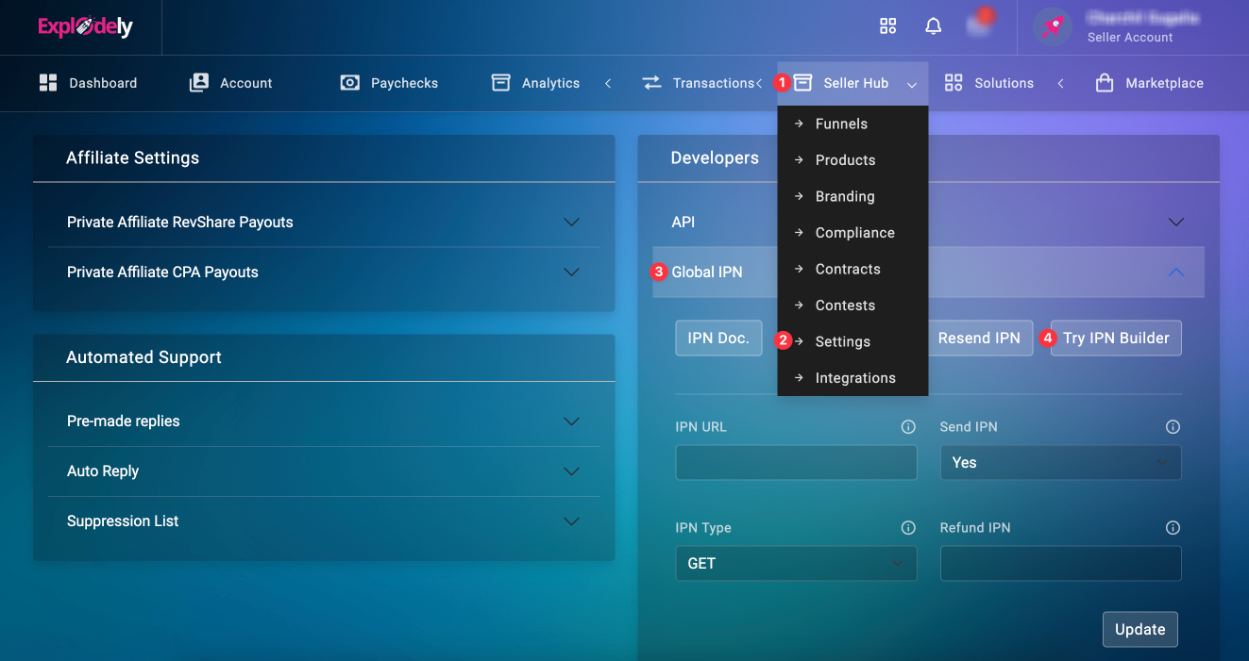
ii) Go to Seller Hub → Settings → Global IPN under Developers section.
iii) Click on IPN Builder to open the configuration window.
Step 2: Add Your IPN Listener URL
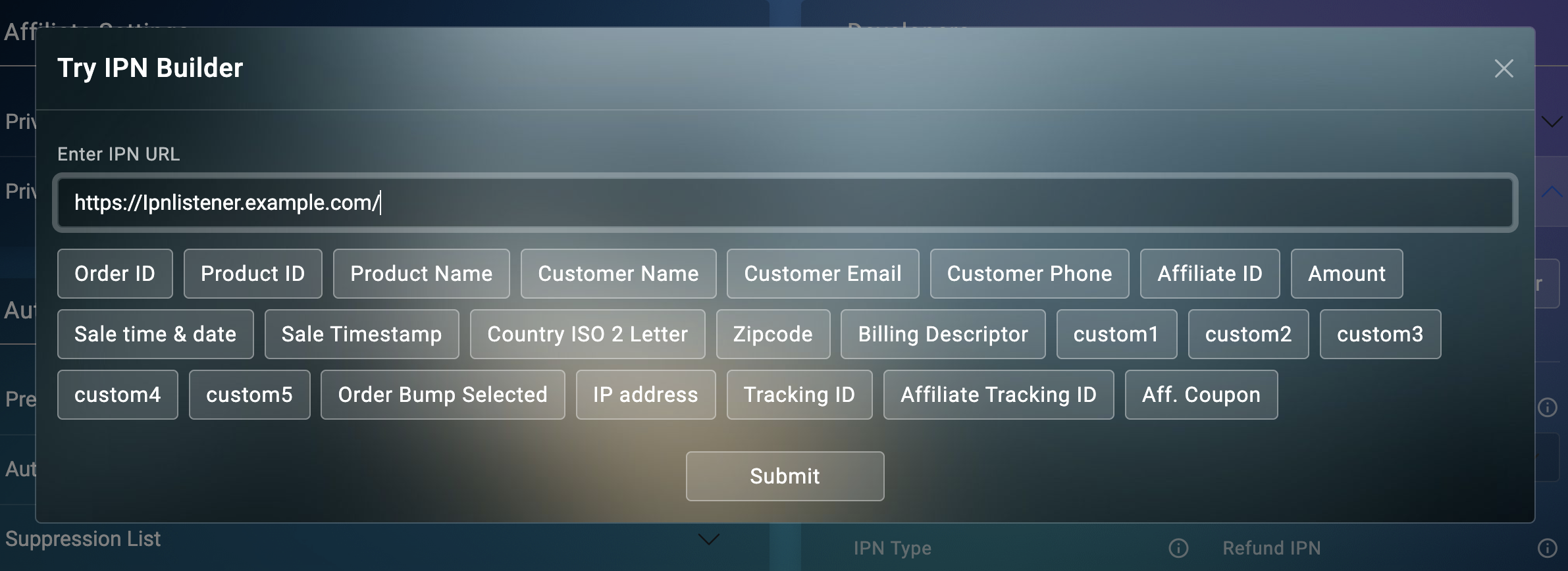
In the IPN Builder pop-up, enter your IPN URL.
This is the URL where Explodely will send the data after every successful transaction.
Step 3: Add Parameters and Tokens
You can now customise the order and format of the parameters in your IPN URL.
To do this, start by adding a “?” after your IPN URL. Then, include the parameter name you want to use, followed by an “=” sign and the corresponding token (such as Order ID, Amount, Affiliate ID etc.) from the options listed below.
To include additional parameters, use an “&” and repeat the same process.
Once you’ve added all the parameters and selected the appropriate tokens, your IPN URL will look something like this:
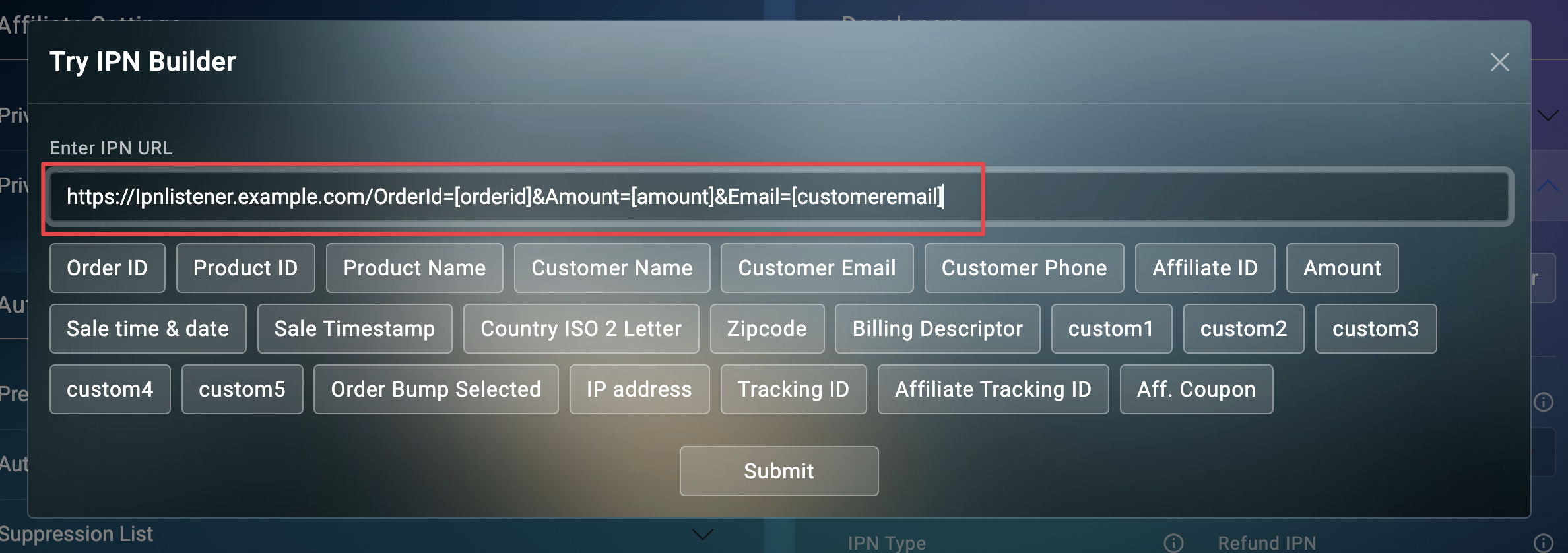
You can repeat this process for all other parameters available in the builder, depending on your specific requirements.
Click on Submit.
The IPN URL field will then be automatically filled with the URL you generated in the IPN Builder.
Set Send IPN to Yes and IPN Type to GET. Finally, click on Update.
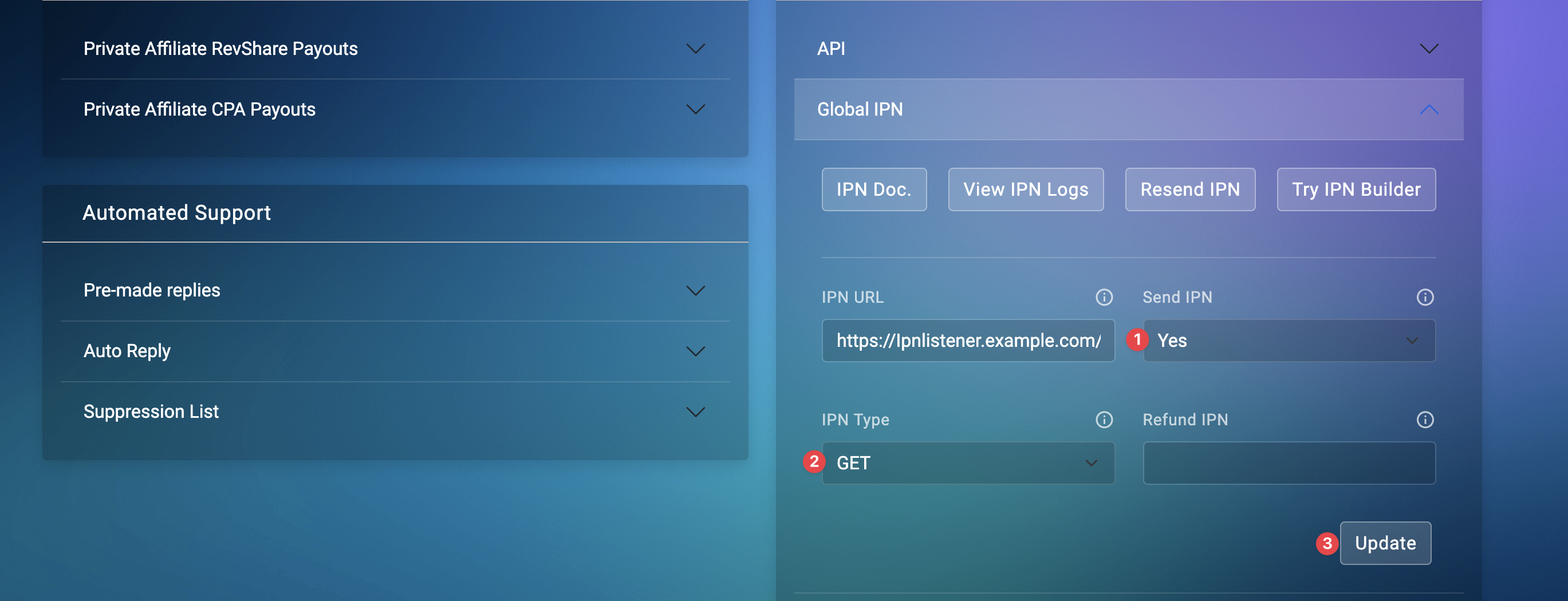
You’ve successfully configured your custom IPN using the IPN Builder. From now on, Explodely will send only the data you’ve specified to your chosen IPN Listener, allowing for precise automation and seamless integration with your CRM or database.
Please contact us if you have any questions or concerns at sellers@explodely.com.