
The Custom Checkout Builder in Explodely lets you create a smooth checkout experience directly on your own website. Instead of sending buyers to Explodely’s domain, you can either embed the checkout on your own sales page or show it as a pop-up when someone clicks a button.
This helps build trust with your buyers and improves conversions, since the entire process stays on your domain.
You can also customise the checkout by changing things like the button text and colours to match your sales page and funnel design.
⚠️ Important Requirement Before Using This FeatureWe recommend sharing your funnel details (including front-end and OTO pages) for our team to review to ensure the code has been properly implemented .
Let's dive into the process of setting it up step by step.
Step 1: Log in to your Seller Account using the login link:
https://explodely.com/seller/signin
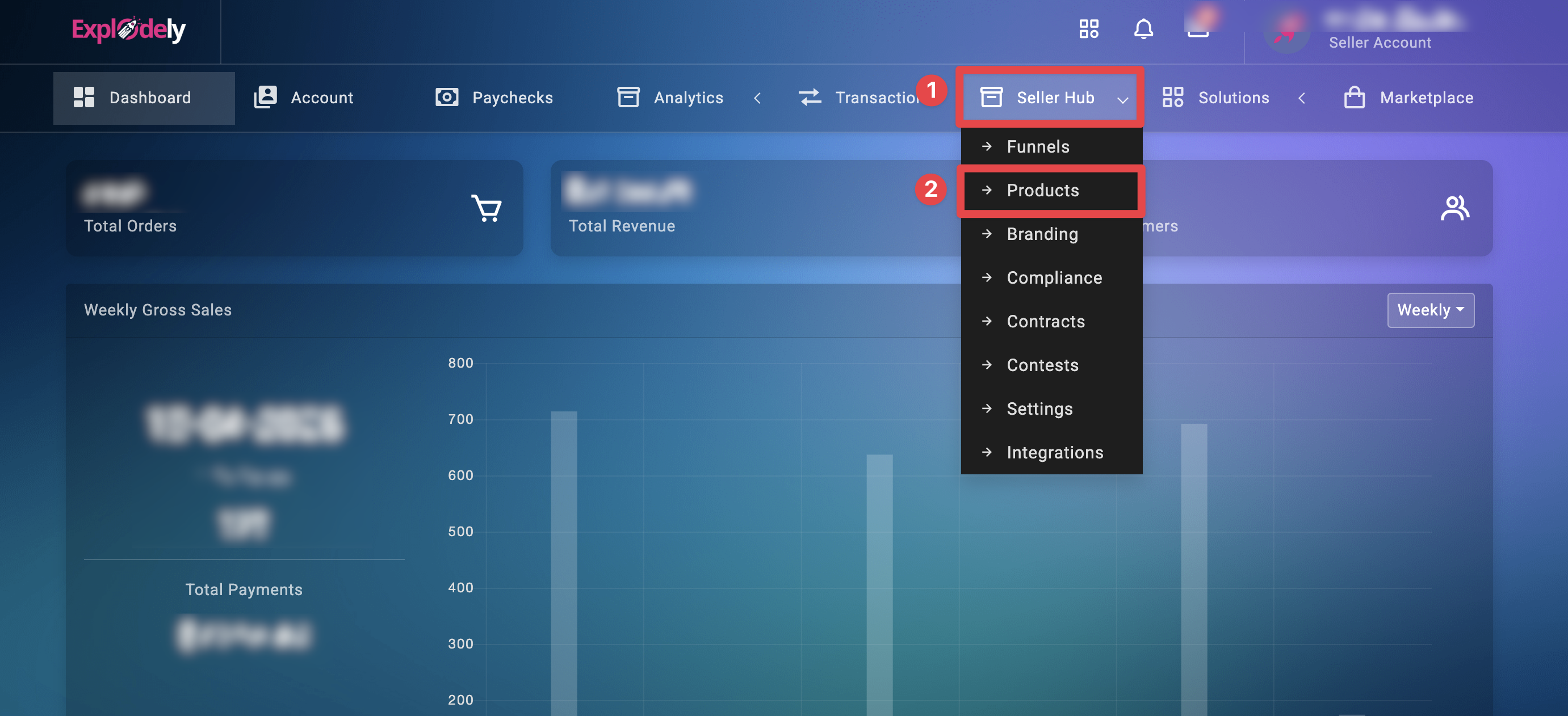
Step 2: Navigate to Seller Hub, go to Products.
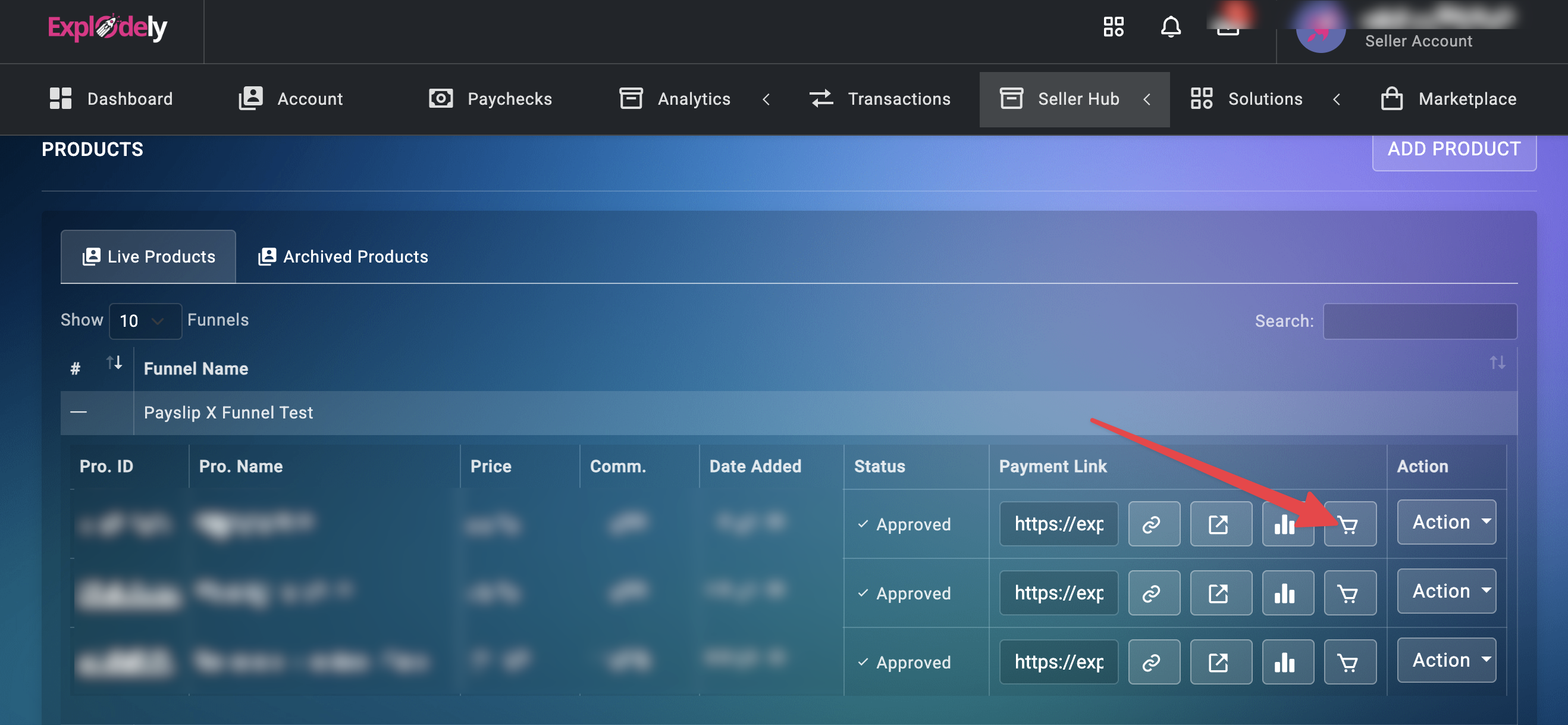
Step 3: Click on Customise Checkout adjacent to the product you want to add the Custom Checkout for.
A new window will open with your Custom Checkout Builder options.
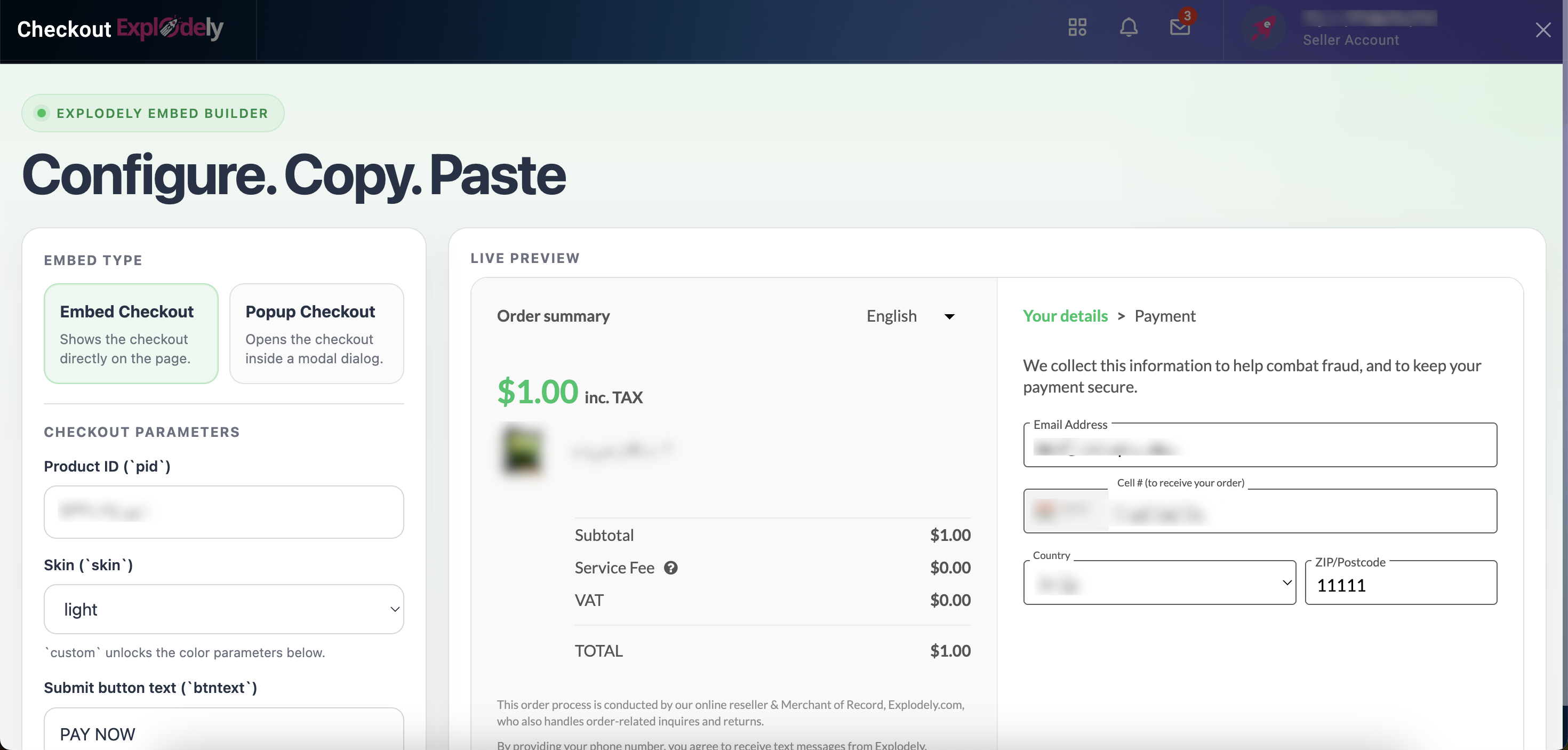
Step 4: Now choose the checkout type. You will see two options, which are explained in detail in the articles below:
ii) Pop-up Checkout
Customisation Options
Both Embed Checkout and Pop-up Checkout offer customisation features:
1. Pay Button Text
By default, the button displays “Pay Now”. You can update this text to anything you prefer.
Example: “Complete My Order”, “Get Instant Access”, etc.
2. Colour Customisation
You can fully customise the checkout colours. Match the checkout design with your sales page theme, brand colours, and funnel design.
Testing and Conclusion
Once the custom checkout set up is done, it’s important to test the complete flow. Make test purchases by following the article below to ensure everything is working correctly:
By using the Custom Checkout Builder effectively, you can create a smooth and branded checkout experience that aligns perfectly with your sales funnel. Whether you prefer an embedded checkout or a pop-up flow, Explodely provides the tools needed to optimise conversions while maintaining full control over design and functionality.
Please contact us if you have any questions or concerns at sellers@explodely.com.