
For OTO (One-Time Offer) pages, checkout behaviour differs from front-end products. To enable a smooth one-click upsell experience, the platform supports Pop-up Custom Checkout with 1-Click Upsell (1CU) functionality.
This allows buyers to complete purchases instantly using their previously entered payment details.
⚠️ Important Requirement Before Using This FeatureWe recommend sharing your funnel details (including front-end and OTO pages) for our team to review to ensure the code has been properly implemented .
How to Set Up:
The process is similar to setting up a Pop-up Checkout. You can refer to the Pop-up Checkout article for detailed steps.
Once you've reached the Popup checkout option, select the checkbox within the Pop-up Checkout settings to enable the pop-up checkouts for one click upsells. Now copy the updated code and add to the upsell page with one click upsell option.
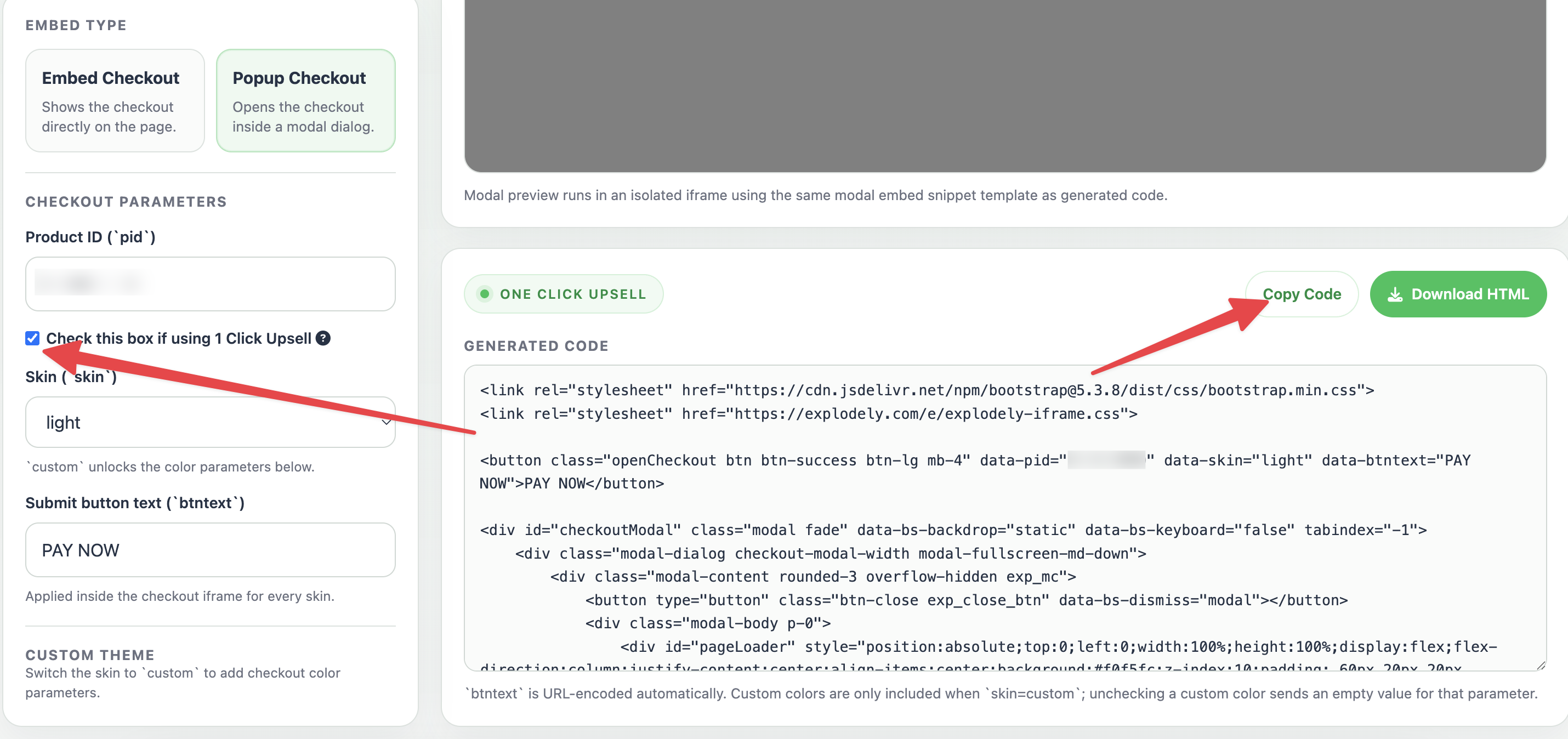
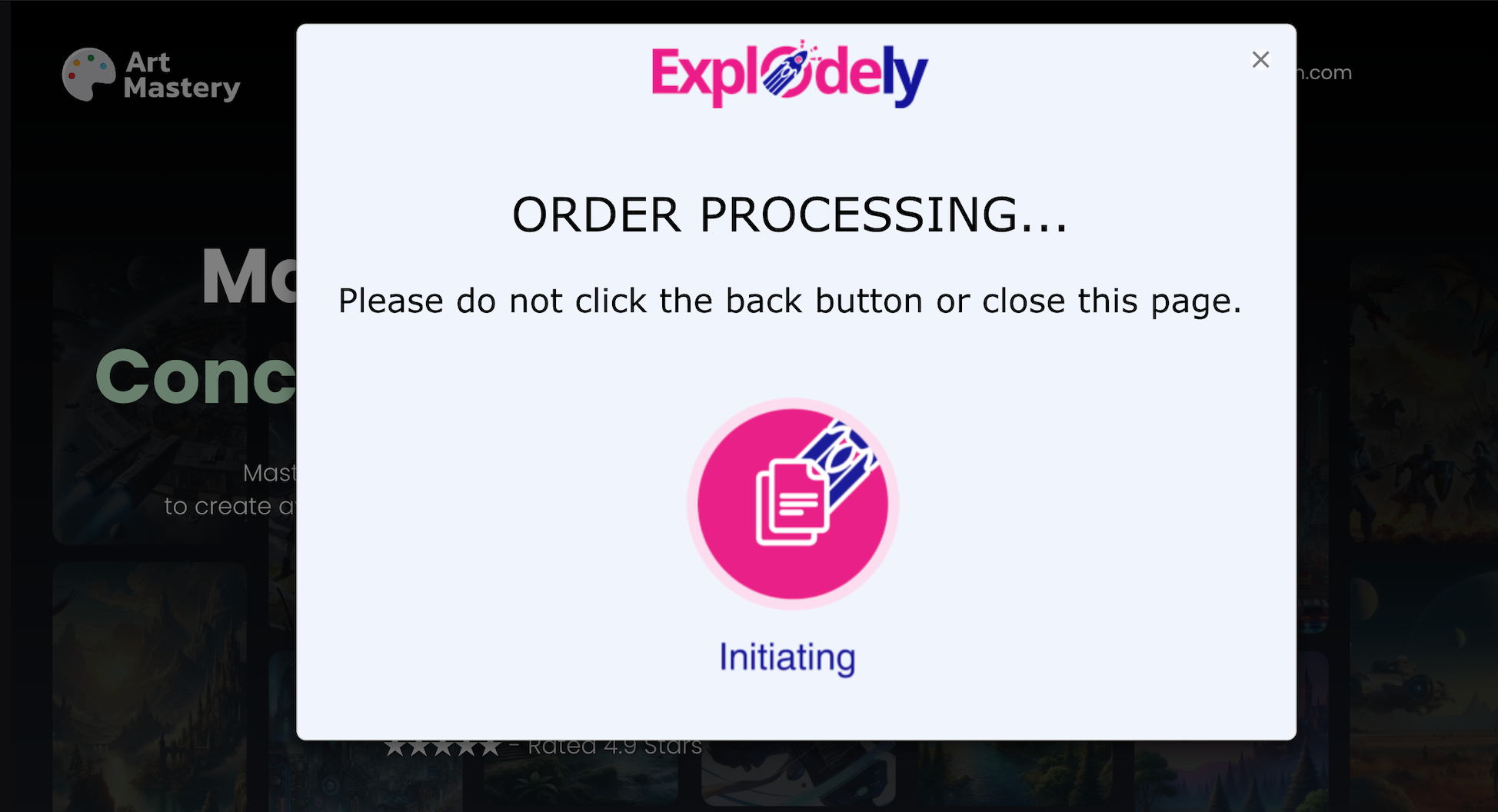
This ensures a smoother buying experience by eliminating the need for users to re-enter their payment details. Once the buyer clicks the “Pay” button, the charge is processed instantly.
Where to Add the Code (Popular Page Builders):
Once you’ve copied the pop-up code from Explodely, you need to paste it into your page. The exact steps may vary depending on the page builder you are using, but below are examples for some commonly used platforms:
Systeme.io
i) Open your funnel inside systeme.io and go to the page where you want to add the checkout.
ii) Click on Edit Page.
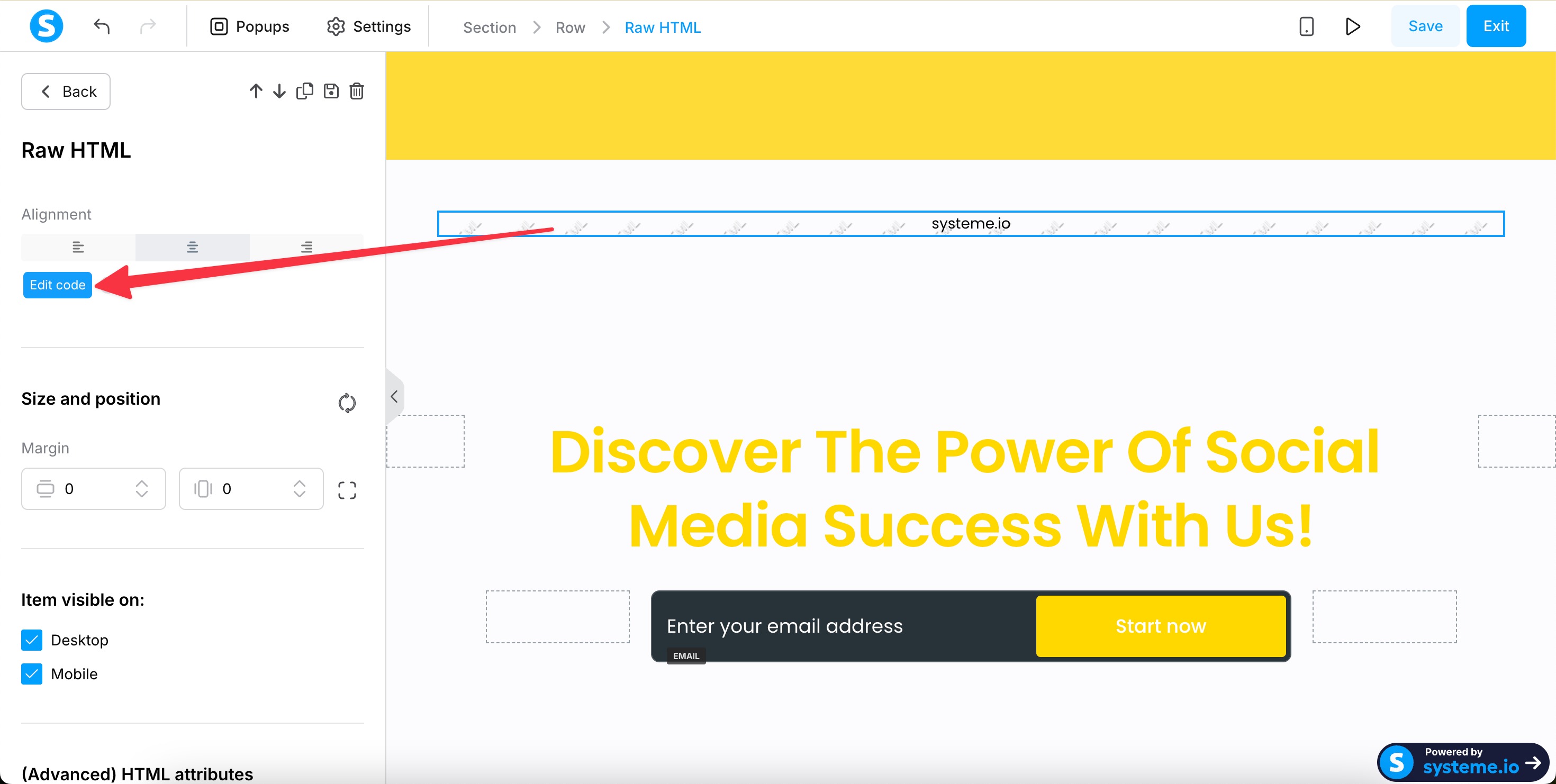
iii) Add a Raw HTML block from Elements to your page and click on Edit Code.
iv) Paste the copied code into the HTML block.
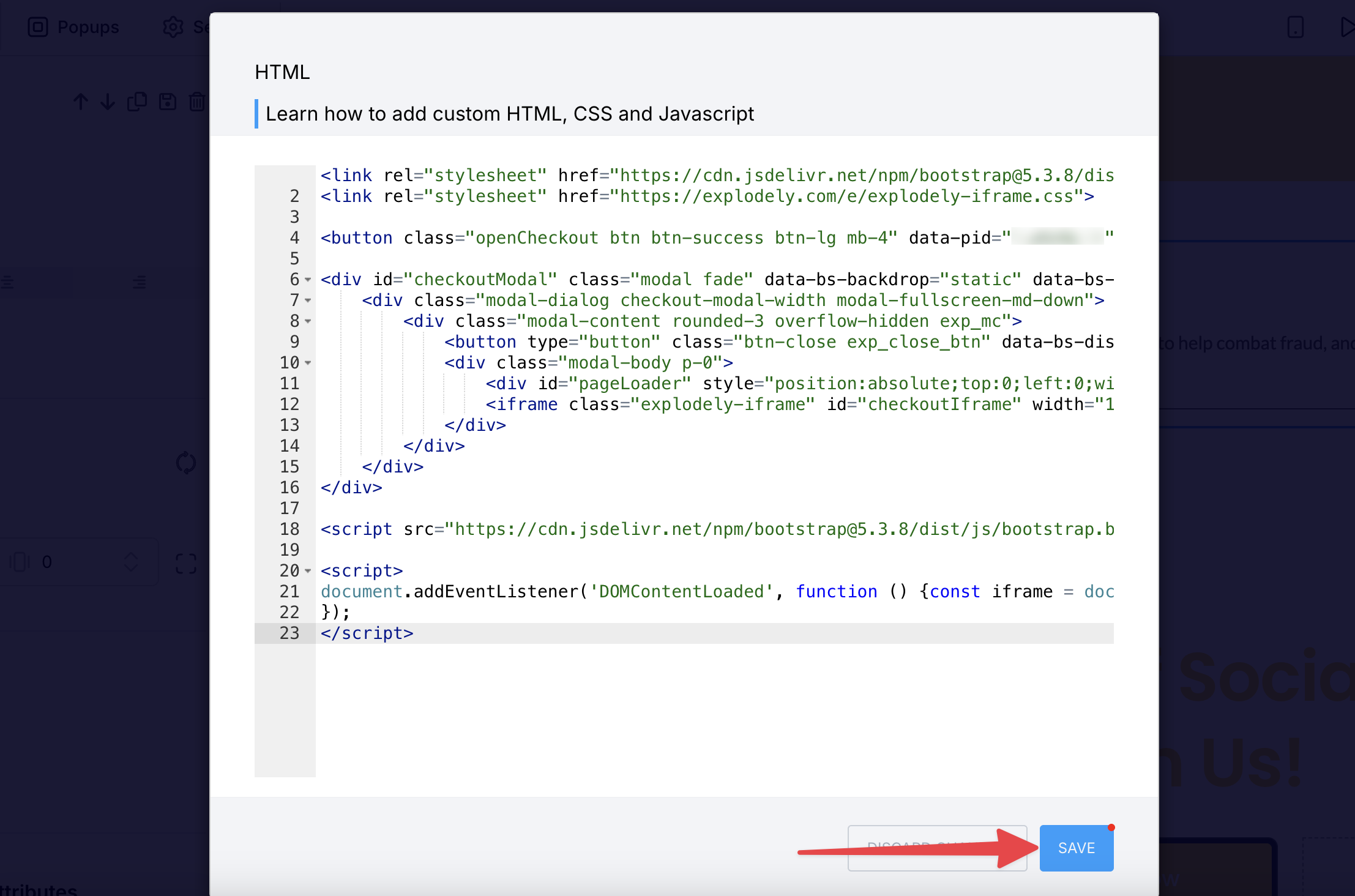
v) Save and publish the page.
ClickFunnels:
i) Open your funnel and select the page you want to edit, then click on Edit Page.
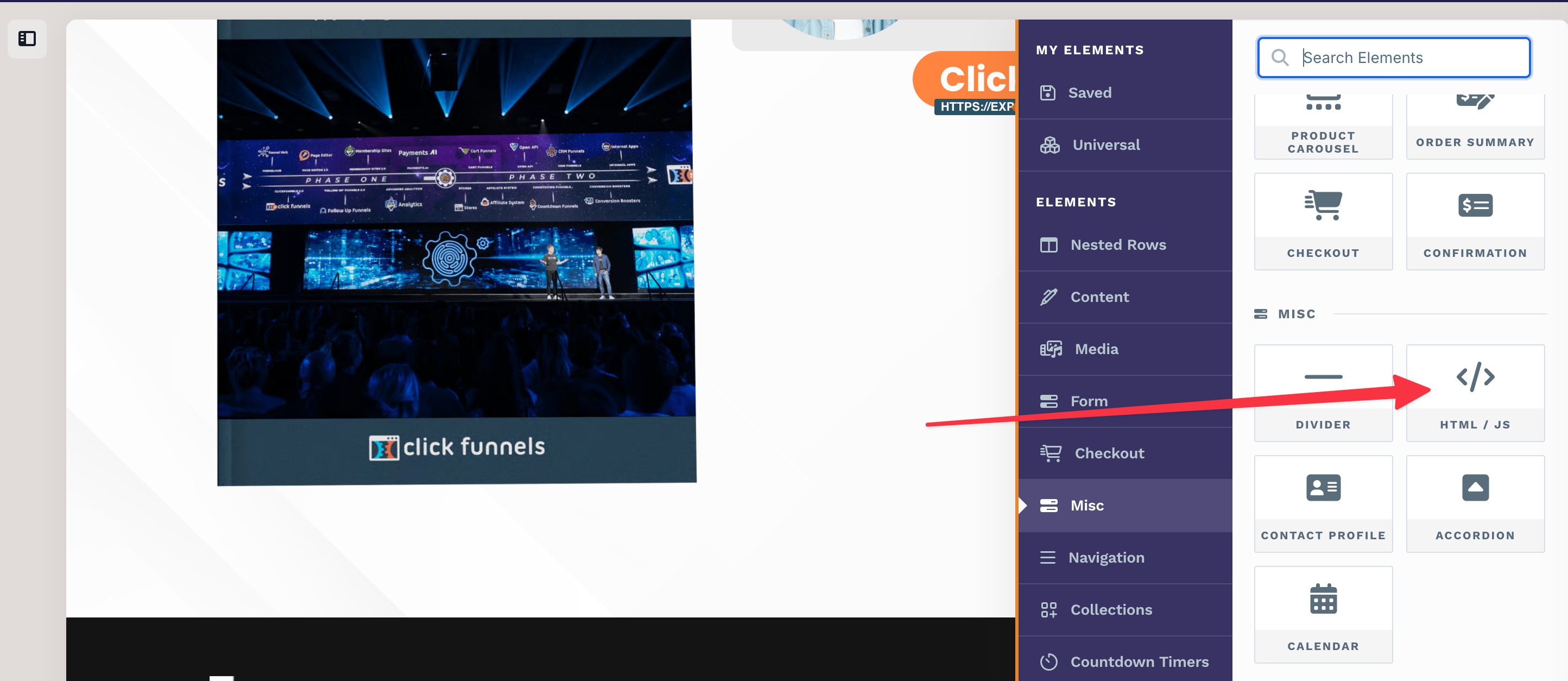
ii) Add a Custom HTML/JS element to the page.
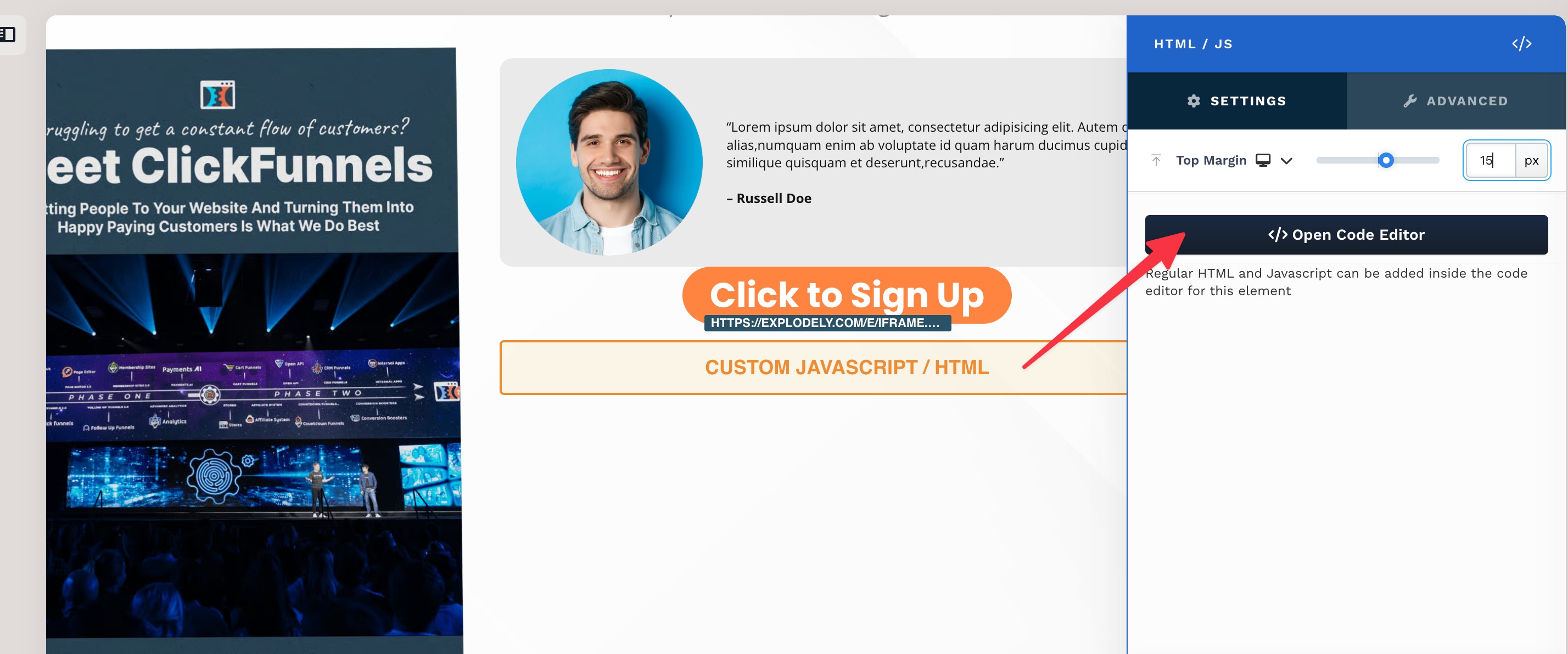
iii) Now click on Open Code Editor.
iv) And paste the copied code into the element.
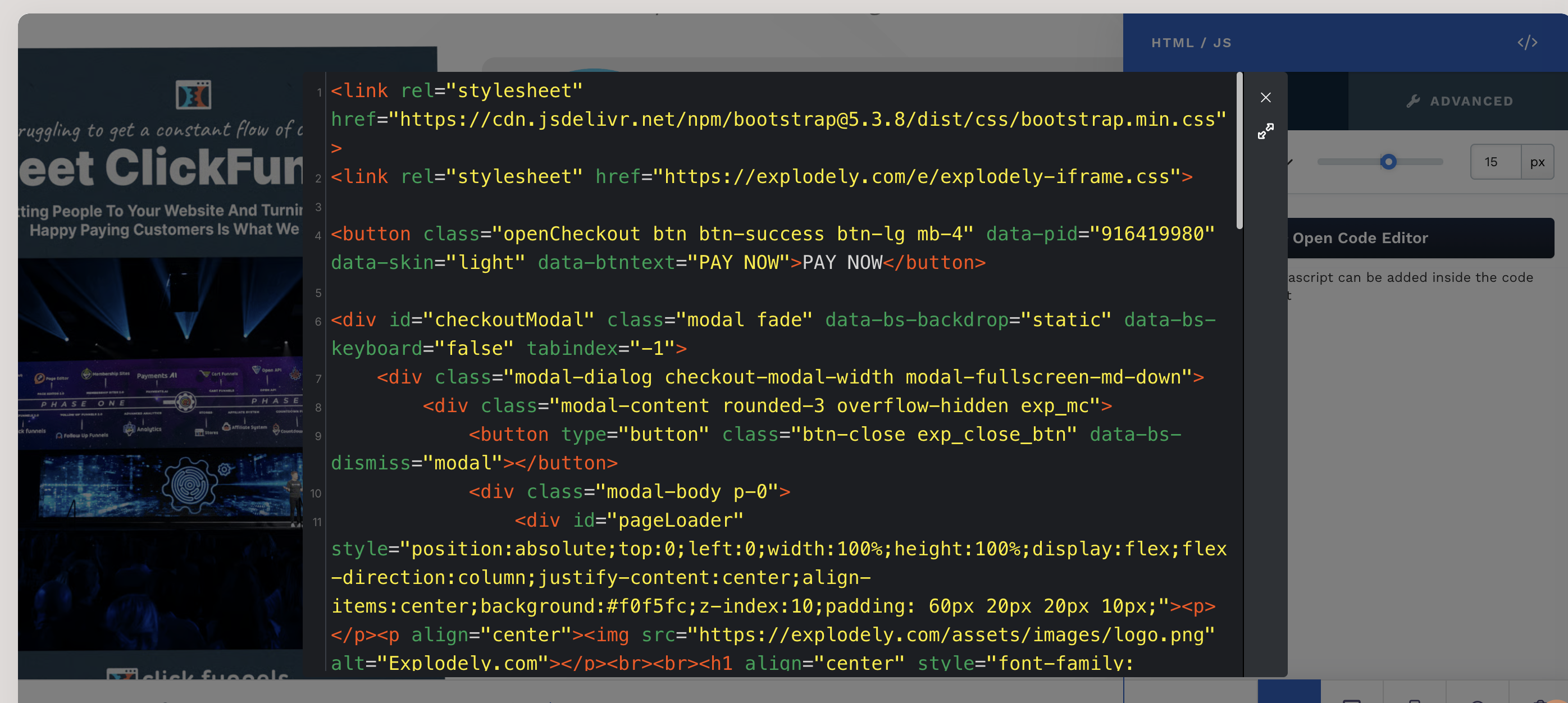
v) It auto saves changes so close the code editor and Save the entire page.
Important Behaviour & Rules
i) Only one pop-up checkout can be used per OTO page.
ii) 1-Click Upsells (1CU) are supported only with Pop-up Checkout.
iii) Best Practice is to use clear verbiage near buttons like:
“Yes, Add This to My Order”
Using Pop-up Checkout for OTOs allows you to create a fast, seamless, and high-converting upsell experience. By enabling 1-Click Upsells and keeping users within the funnel, you can significantly improve your average order value without adding friction to the buying process.
Please contact us if you have any questions or concerns at sellers@explodely.com.