
With the Partial Refund Offer feature, you can offer customers a part refund instead of a full refund. This helps you resolve issues by finding a fair middle ground while protecting your revenue.
You can offer a partial refund when your customer is unhappy but has already received some value, or when you want to resolve disputes quickly and reduce the risk of chargebacks without refunding the full amount.
Here's how to send a Partial Refund Offer:
1) Log in to your Seller Account and Click on View Tickets on Dashboard.
2) Open the relevant customer ticket
3) Click on the option to Send Partial Refund Offer
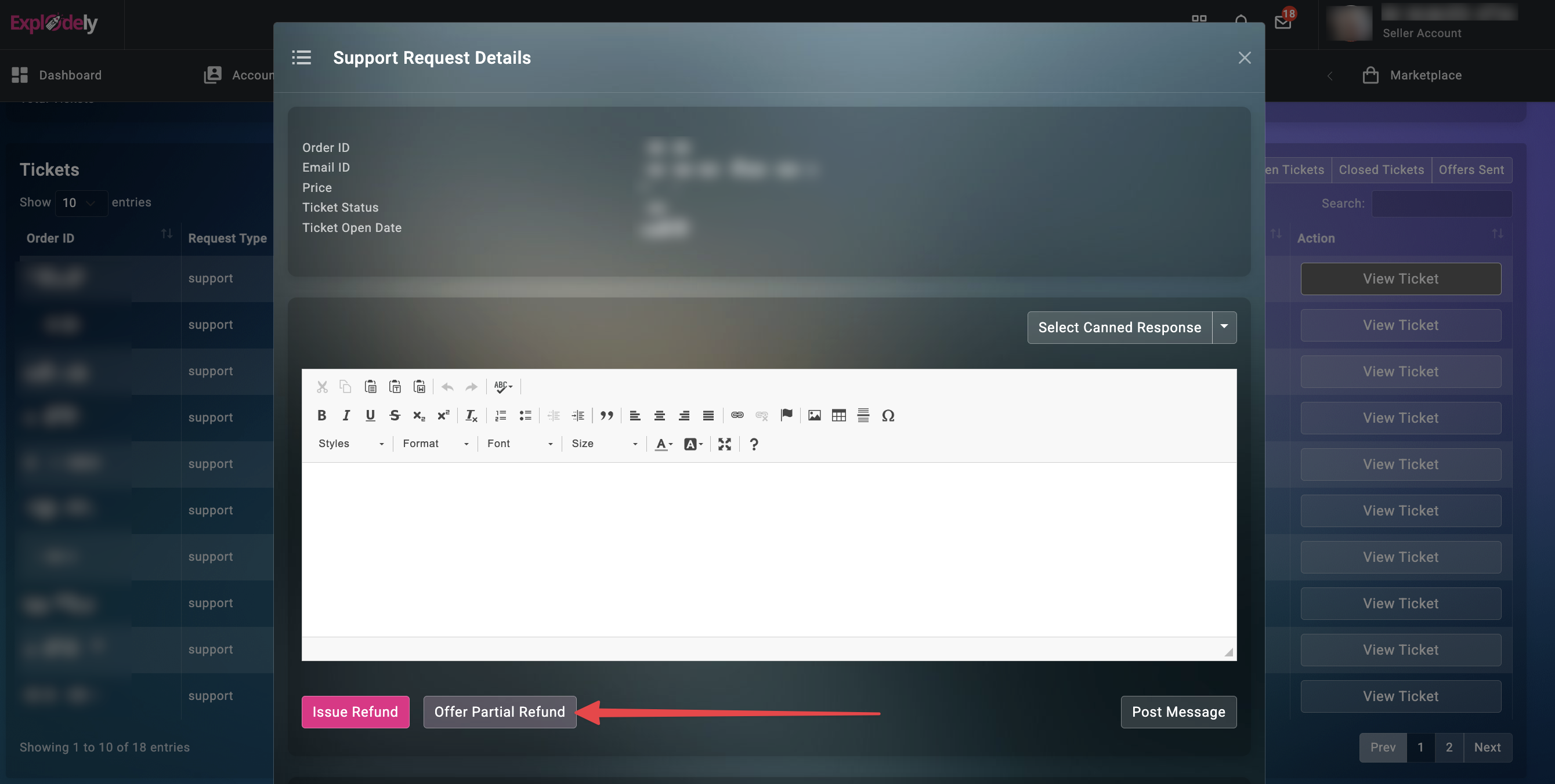
4) Fill the Offer Form that comes as a pop up.
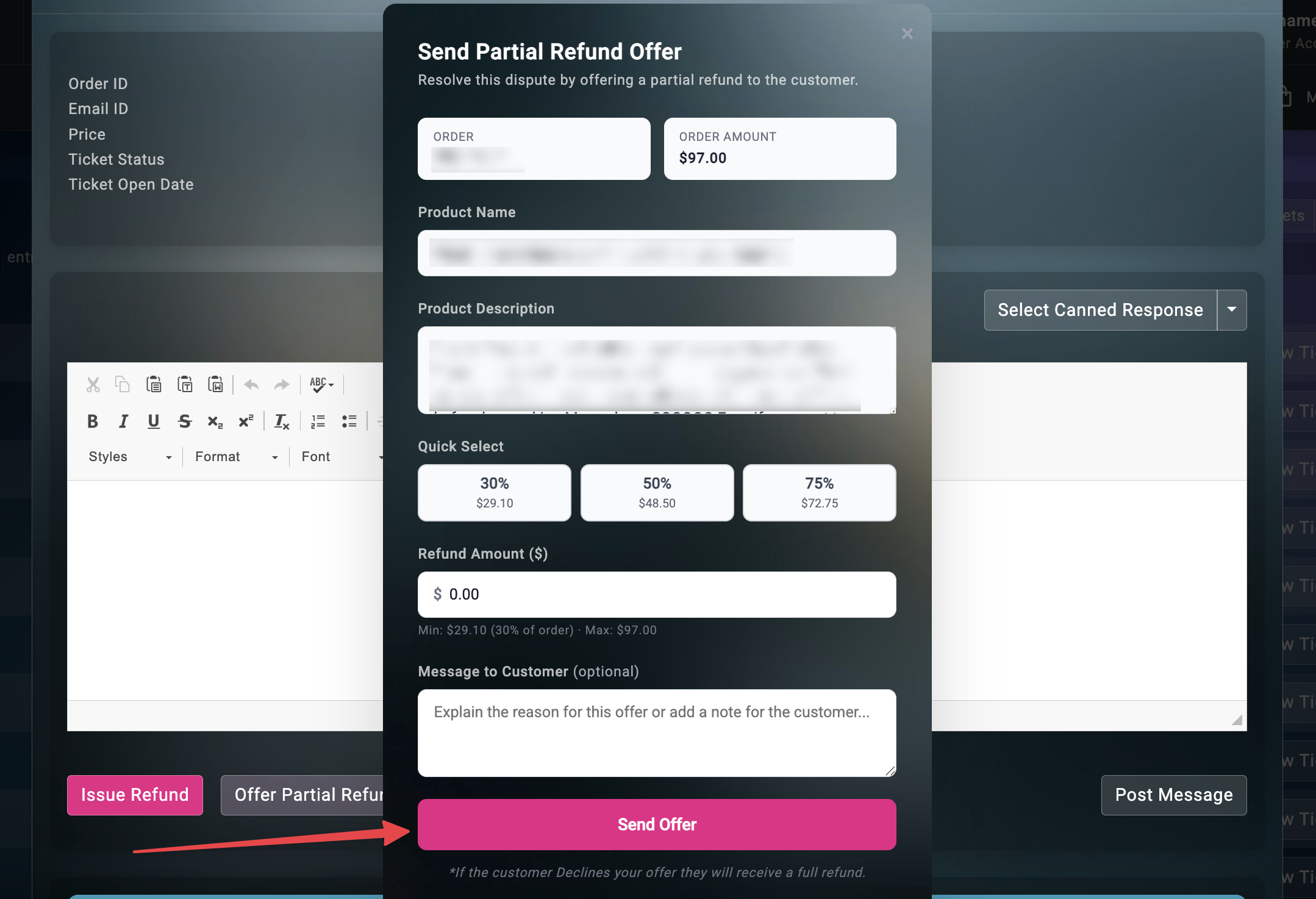
5) When creating your offer, you can offer a minimum of 30% of the product price and can go up to 100% (full refund).
You can either use Quick Select buttons: 30%, 50%, 75% or enter a custom amount in the Refund Amount field. You’ll see the minimum and maximum allowed amounts based on the product price.
You can also include a message to your customer explaining:
- Why you’re offering a partial refund
- What solution you’re providing
- Any additional clarification
This step is optional, but it can improve acceptance rates.
6) Once everything is set, click Send Offer.
Once your customer receives the offer, they will be able to choose one of the following:
I) Accept:
If the customer accepts the partial refund offer, the agreed refund amount is automatically issued and the issue is resolved.
II) Decline:
If the customer declines the partial refund offer, the system will automatically issue a full refund.
III) Counter Offer:
Your customer can request a higher refund amount.
In this case, you can either:
Accept it, and the countered amount will be refunded, or
Decline it, and a full refund will be issued.
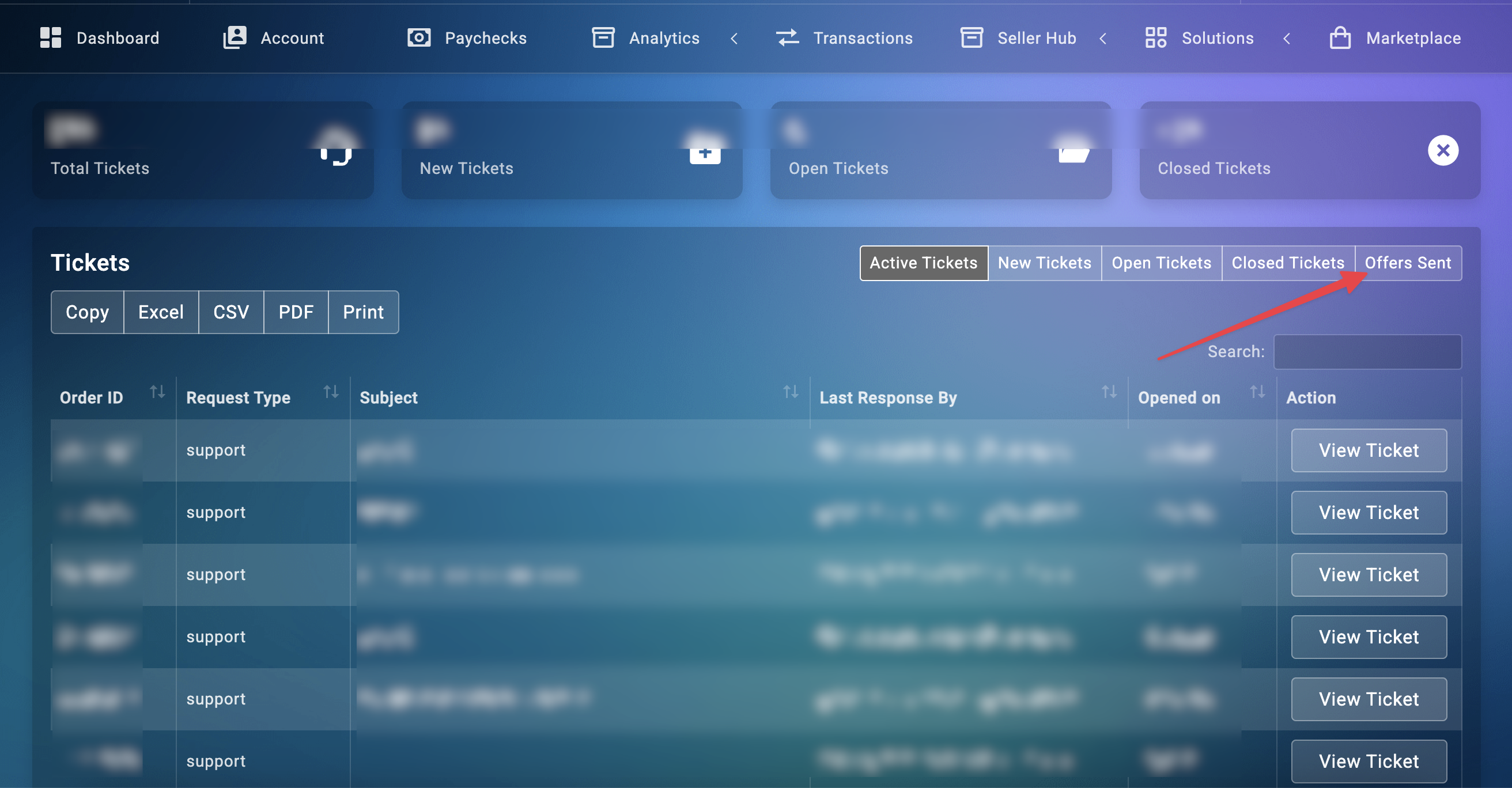
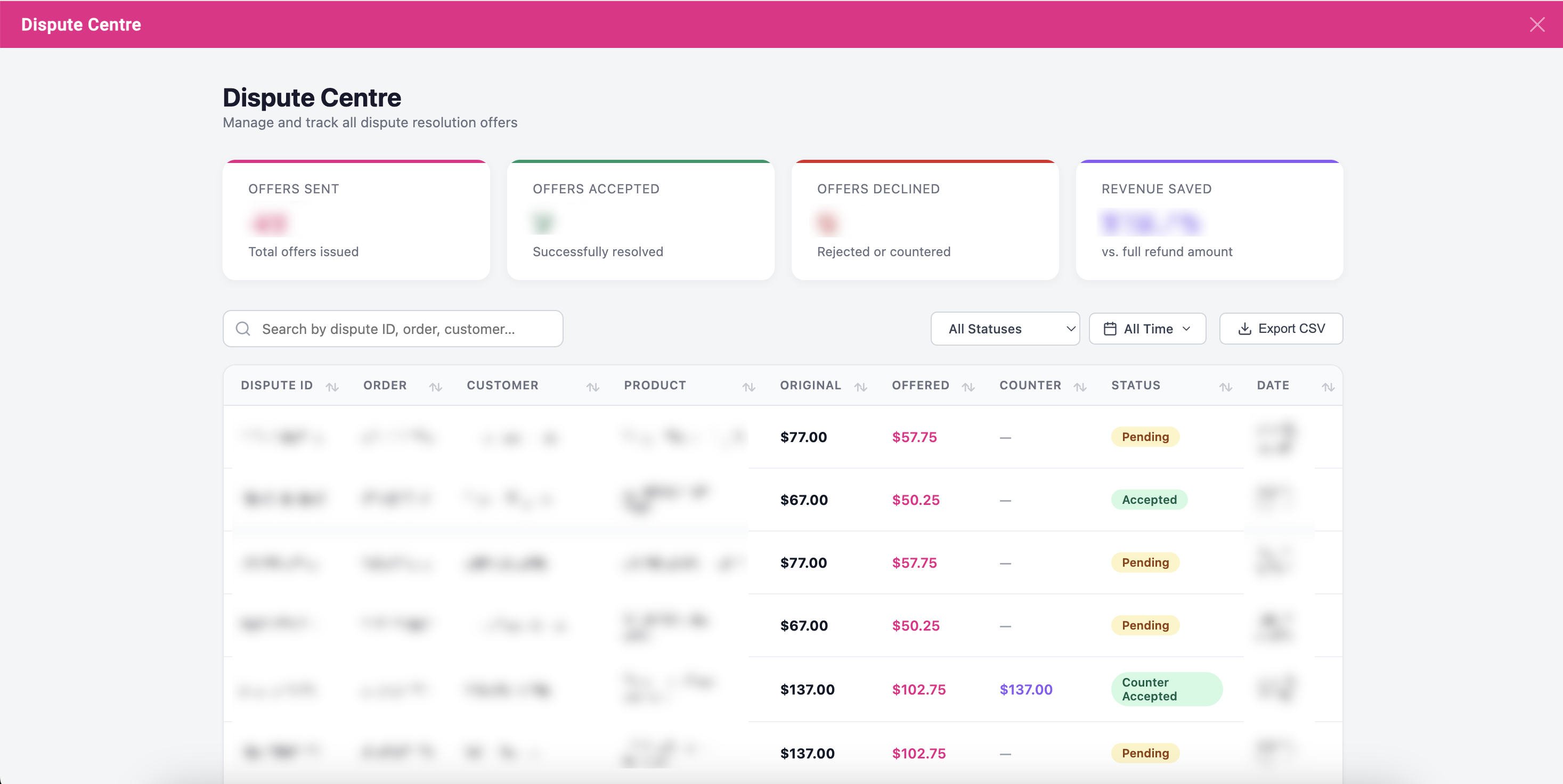
You can manage all the sent offers from the Dispute Centre section. To access that, click on Offers Sent on the Tickets page.
Here you can check the status of all Partial Refund Offers and accept, decline or counter offer any refund offer.
Note: While your partial refund offer is pending (including during counter offers), you cannot use the Refund button and the ticket cannot be reopened.
This remains true until the offer is accepted or resolved.
Once the partial refund is accepted and processed, the Refund button becomes available again and the case is considered resolved.
Please contact us if you have any questions or concerns at sellers@explodely.com.