
Initiate Checkout (also known as Order Form Impressions/ Checkout Hits/ Checkout Event) tracking allows affiliates to monitor how many users are clicking through to the checkout page for an offer. This helps you understand pre-sale intent, optimise campaigns, and analyse funnel performance before actual conversions occur. Please note that the postback fires only when the Checkout page loads.
Here are the steps to start tracking Initiate Checkouts (Checkout Hits):
1. Log in to your affiliate account and navigate to the Account section.
2. Then go to Checkout Postback. This is where you will configure your tracking URL.
3. In the provided field, enter your postback URL.
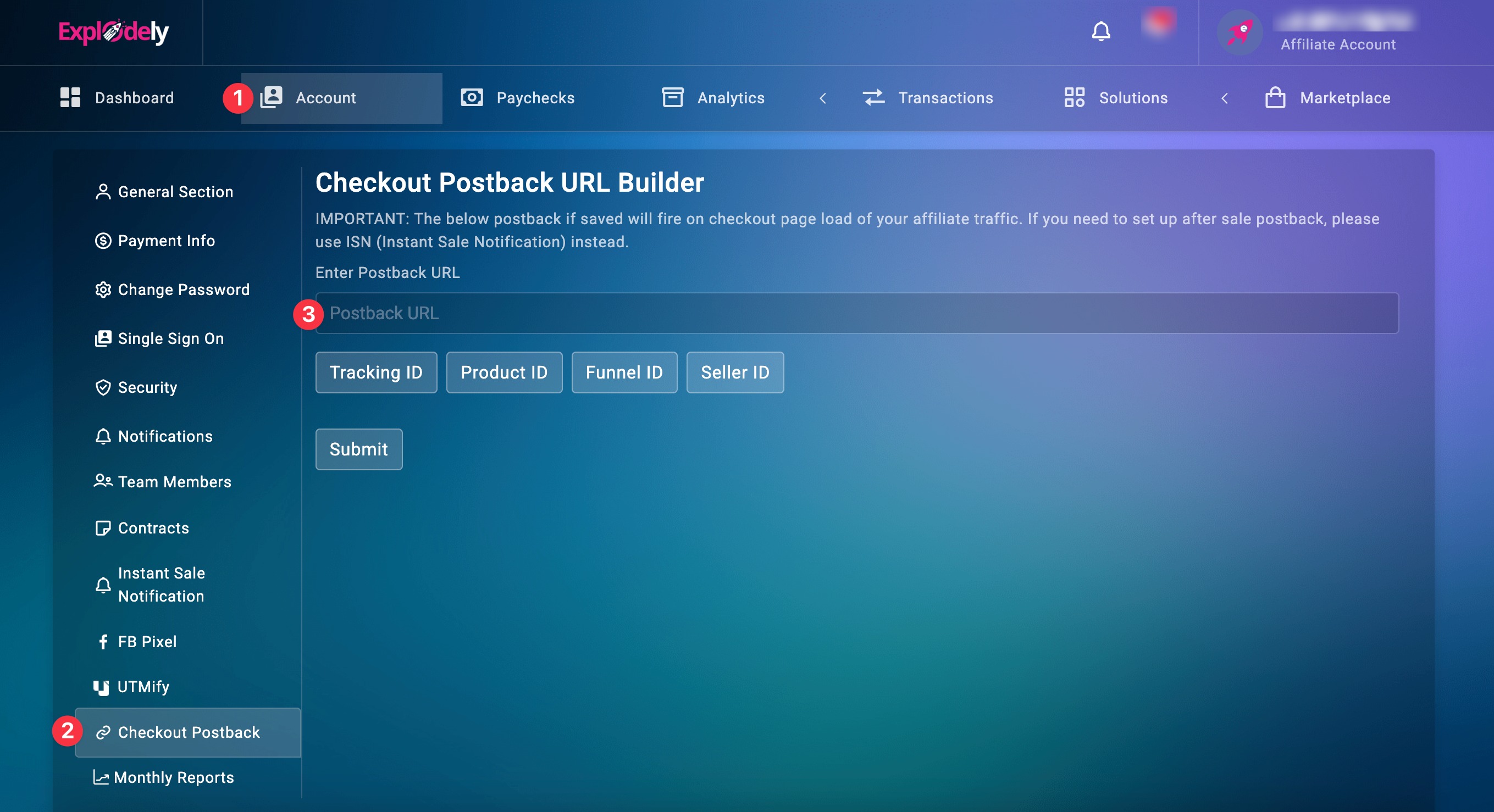
You can include tracking parameters within this URL to capture important data such as Tracking ID, Product ID, Funnel ID, and Seller ID. These parameters help you make your tracking more precise and actionable.
4. Once you have added your postback URL along with the necessary parameters, click on Submit to save the configuration.
After submitting the postback URL, your Initiate Checkout tracking will be active. From this point onward, every time a user clicks through to the checkout page via your affiliate link, the event will be recorded and sent to your configured postback URL.
Important Note on Sales Tracking:
Initiate Checkout tracking only captures checkout activity and does not confirm completed purchases. To track successful sales and conversions, you must use the Instant Sale Notification feature instead.
You can refer to the dedicated guide below to set up Instant Sale Notifications for accurate sales tracking.
Setting Instant Sale Notification
Please contact us if you have any questions or concerns at support@explodely.com.