
Countdown Timer Settings allow you to add a countdown timer to your checkout page. By creating a sense of urgency, a countdown timer encourages customers to complete their purchase before time runs out — a simple way to help boost conversions.
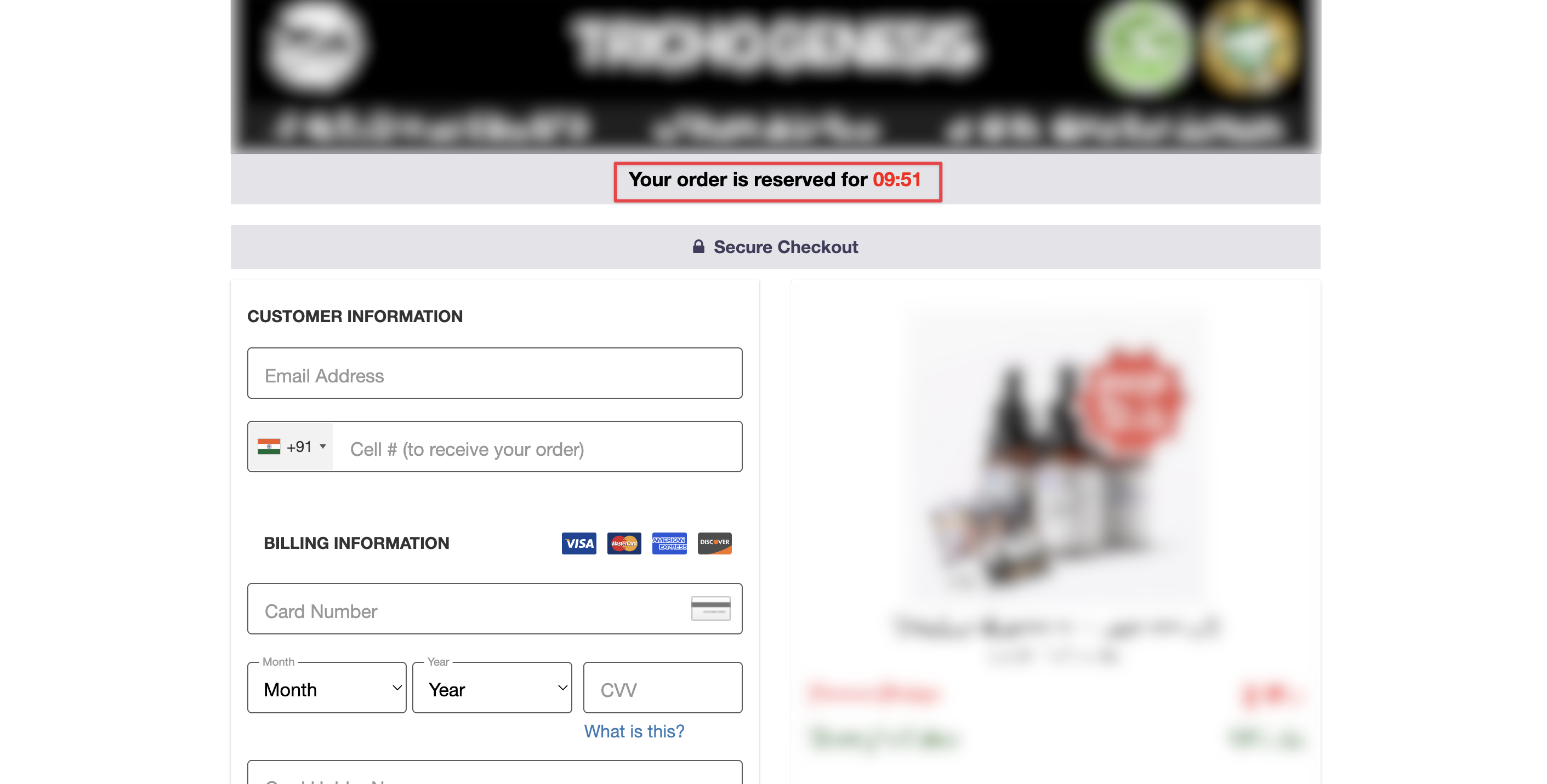
The Countdown Timer looks like this on the checkout page:
Steps to apply the Countdown Timer to your product:
Step 1: Log in to your seller account using the link: https://explodely.com/seller/signin
Step 2: Under the Seller Hub section, click on Products.
Step 3: Click on Action-> Edit Product Details.
Jump to Step 4 of the Edit Product form: Additional Settings and Features.
Step 4: Select Yes in the Countdown Timer Settings drop-down, then choose the style and duration from the options that best suit your needs.
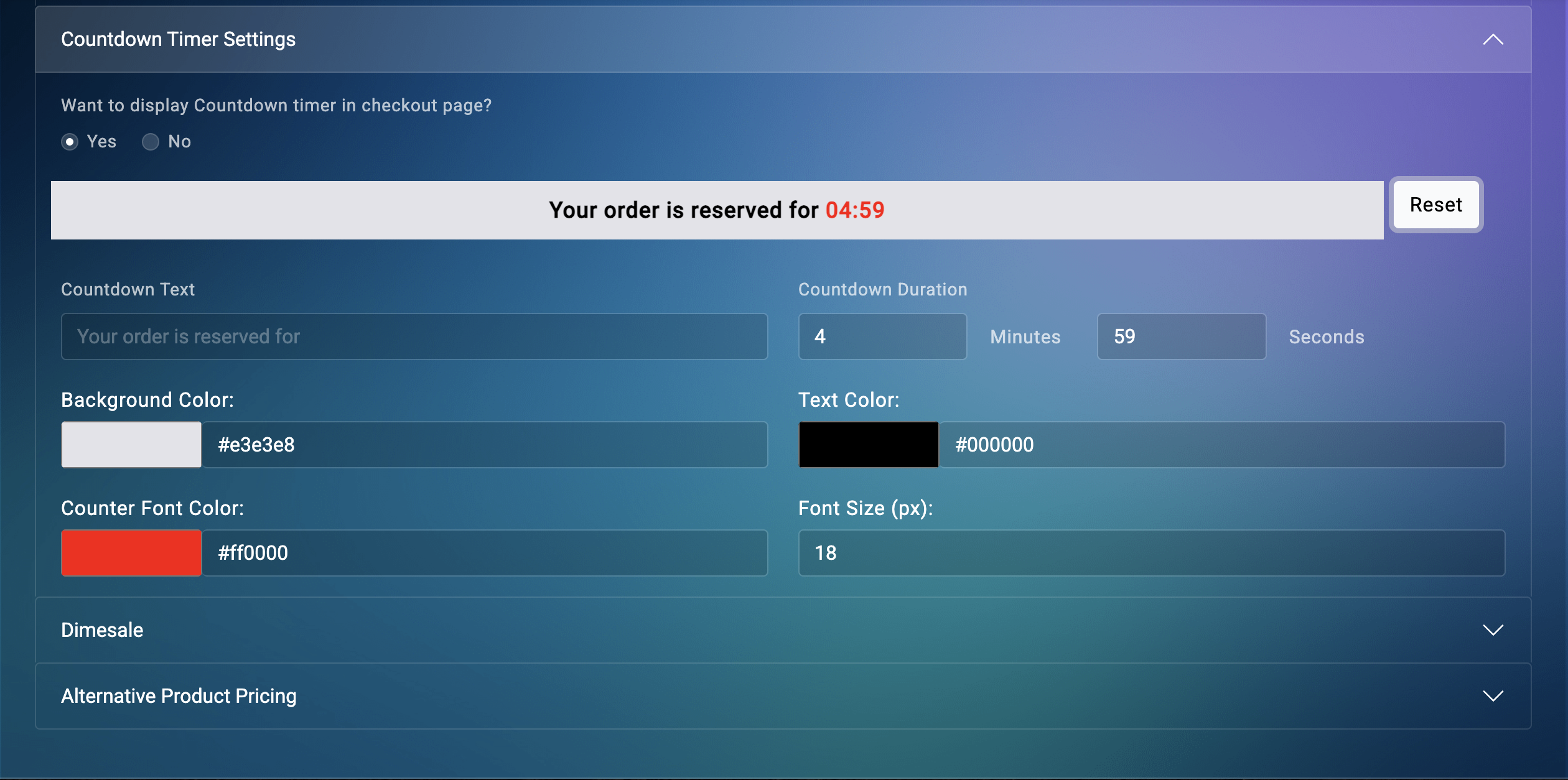
Click on Submit Changes, and the Countdown Timer will be added to your product's checkout page.
Please contact us if you have any questions or concerns at sellers@explodely.com