
You can easily invite team members to your Explodely account and control which sections they can access.
This helps you delegate tasks efficiently while keeping your sensitive data secure.
How to Invite a Team Member
1. Login to your Explodely account.
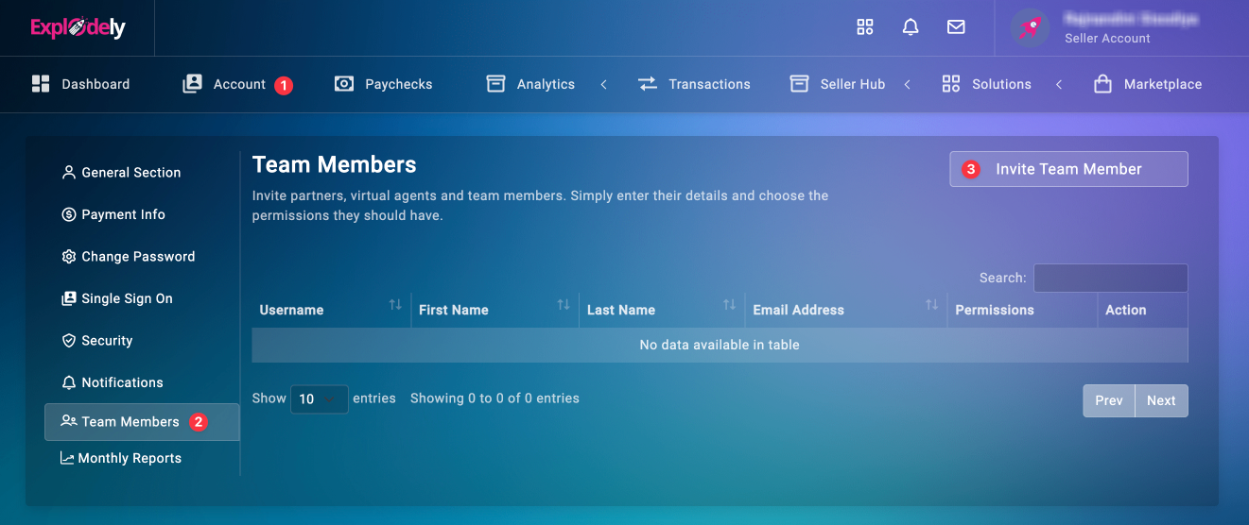
2. Go to Account → Team Members → Invite Team Members.
3. Fill in the team member’s details in the pop-up form: First Name, Last Name, Email Address, Username and Assign access permissions.
Select the specific sections of your account you’d like the team member to access. You can give access only to the areas they need — such as Support Tickets, Transactions etc.
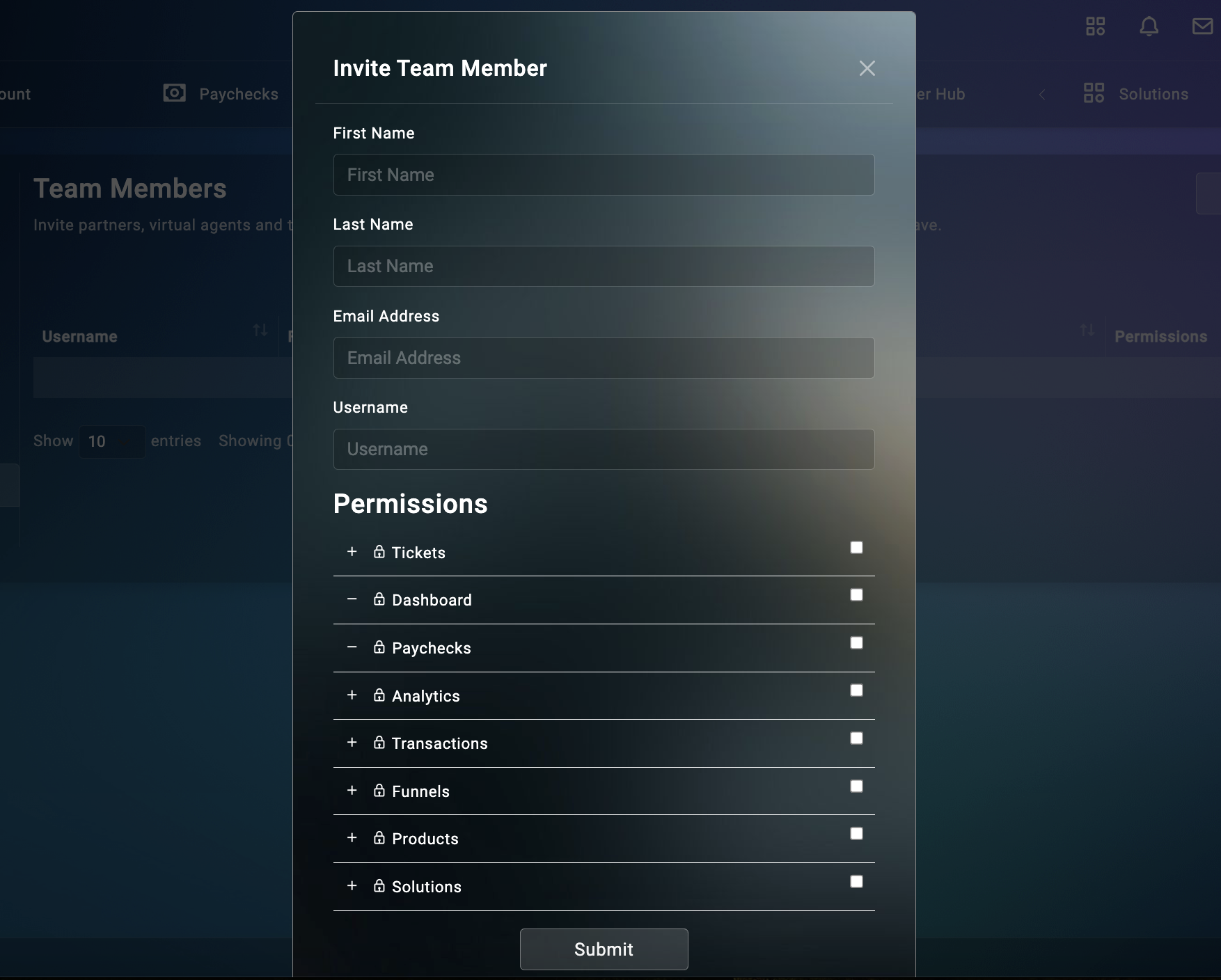
4. Click on Submit.
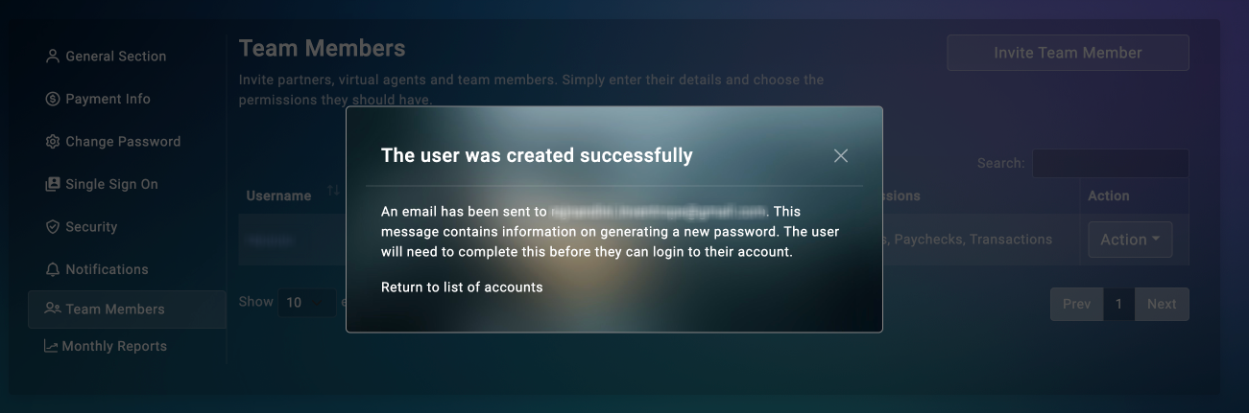
Once done, the team member will receive an invitation email at the address you entered.
What Happens Next
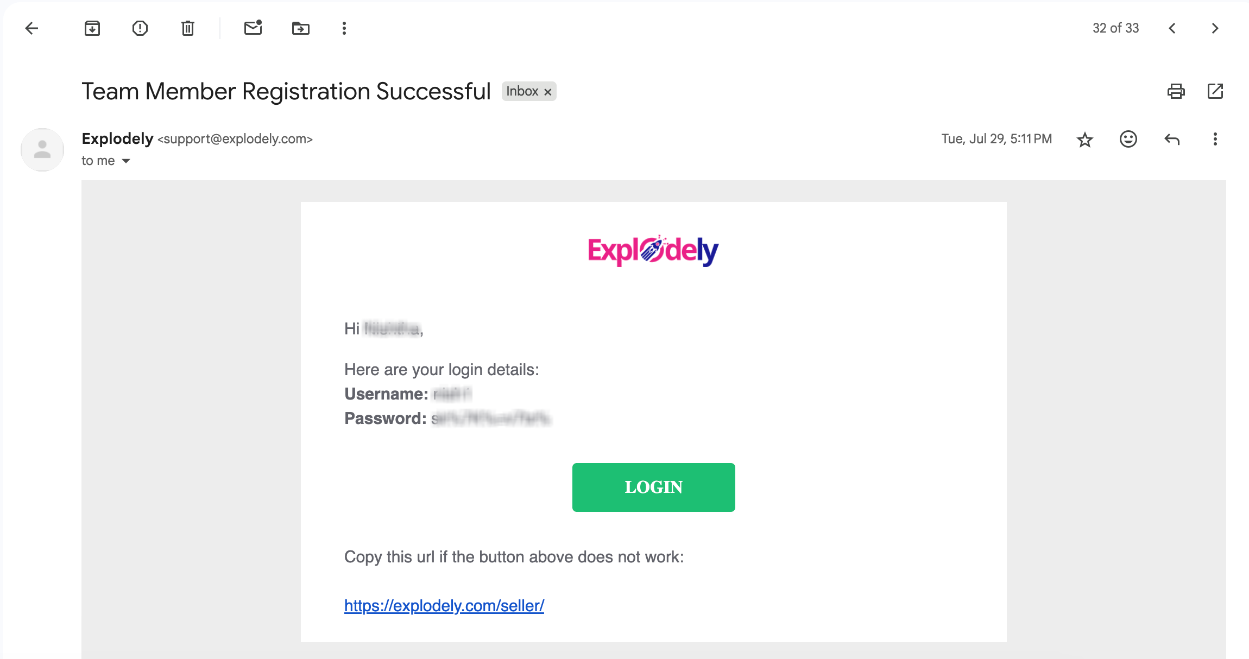
The invitation email will include the team member’s login details. The password is auto-generated for security, and the username will be the one you set during the invitation process.
The team member can click on the Login button in the email to access their account.
Once logged in, they’ll only see and manage the sections you’ve granted them access to.
Inviting team members helps you share work efficiently allowing your staff to:
- Respond to support tickets
- Manage orders and reports
- Handle daily operations
without giving them full access to your private or billing information.
That’s it! You’ve successfully added a team member to your Explodely account.
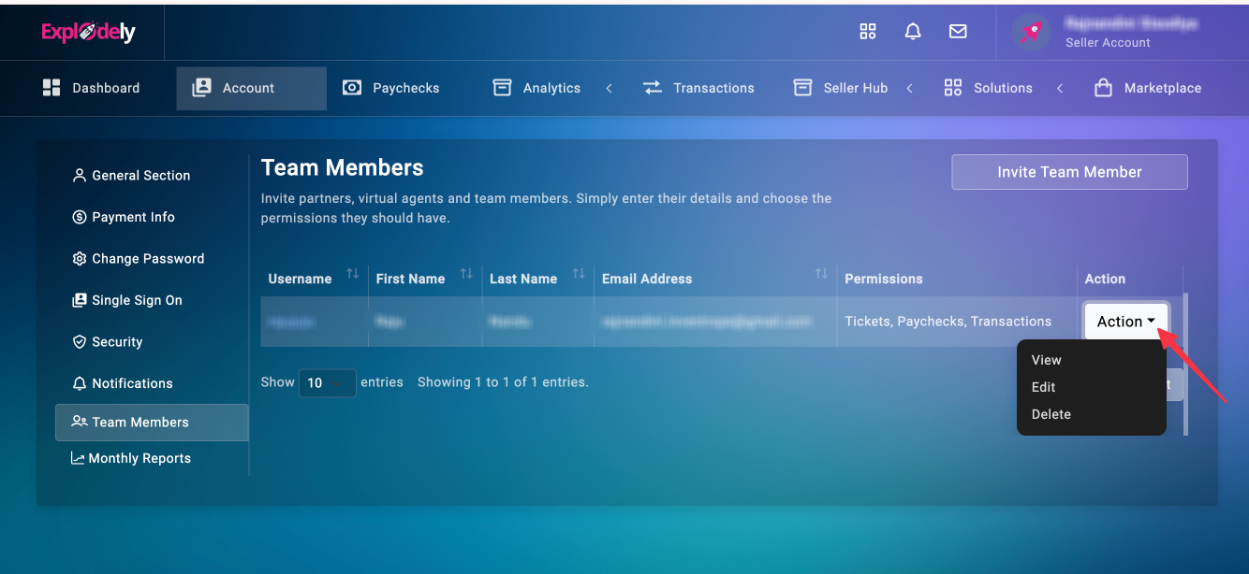
You can also edit or delete their access anytime under Account → Team Members → Action for full control over your workspace.
Please contact us if you have any questions or concerns at sellers@explodely.com.